Loading
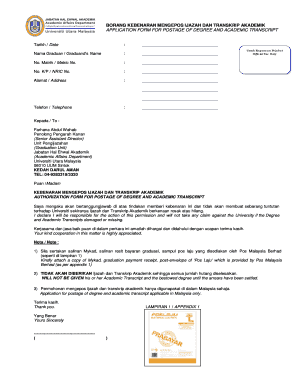
Get Transkrip Uum
How it works
-

Open form follow the instructions
-

Easily sign the form with your finger
-

Send filled & signed form or save
How to fill out the Transkrip Uum online
This guide provides clear, step-by-step instructions for completing the Transkrip Uum form online. Whether you are familiar with digital document submission or it's your first time, this resource will assist you in effectively filling out the necessary fields.
Follow the steps to complete your application online.
- Click 'Get Form' button to access the Transkrip Uum document and open it in an editor.
- Fill in the date in the designated field. Ensure the date reflects the day on which you are submitting the form.
- Provide your matriculation number in the 'No. Matrik' field. This number uniquely identifies you within the university's systems.
- In the 'Alamat' field, write your current mailing address in full. This address is essential for ensuring your documents reach you.
- Fill in your telephone number in the 'Telefon' field, ensuring it is a number you are reachable at, in case of inquiries regarding your application.
- Sign the acknowledgment that states you take responsibility if your degree or transcript is lost or damaged. This is important for legal and administrative purposes.
- Finally, share the completed form as instructed or submit it through the appropriate postal service.
Begin your Transkrip Uum application online today for a smooth submission experience.
Industry-leading security and compliance
US Legal Forms protects your data by complying with industry-specific security standards.
-
In businnes since 199725+ years providing professional legal documents.
-
Accredited businessGuarantees that a business meets BBB accreditation standards in the US and Canada.
-
Secured by BraintreeValidated Level 1 PCI DSS compliant payment gateway that accepts most major credit and debit card brands from across the globe.