Loading
Get Canada Flr 34k - Ontario 2011-2026
How it works
-

Open form follow the instructions
-

Easily sign the form with your finger
-

Send filled & signed form or save
How to fill out the Canada FLR 34K - Ontario online
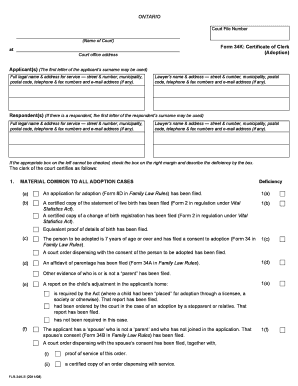
Filling out the Canada FLR 34K - Ontario form online can seem daunting, but this guide will provide you with clear and supportive instructions. The form is essential for processing adoption applications in Ontario, and understanding each component will help streamline your experience.
Follow the steps to complete your application online.
- Press the ‘Get Form’ button to access the Canada FLR 34K - Ontario form and open it in your preferred online editing tool.
- Begin by entering the court file number at the specified location on the form. Ensure all information is accurate.
- Fill in the name of the court where the adoption application is being filed in the appropriate section.
- Provide the applicant’s full legal name and an address for service. This includes the street number, municipality, postal code, telephone and fax numbers, as well as an email address if available.
- If you have legal representation, add the lawyer’s name and their address, including contact information.
- In the respondent section, if applicable, provide the full legal name and address for service of the respondent, ensuring all details are correctly filled in.
- Attach any required documents regarding deficiencies in the application, as outlined in the form's sections, indicating what materials have been included.
- Review all entries for accuracy and completeness. Ensure that you have checked any relevant boxes to indicate the status of required materials.
- Once you have completed filling out the form, save your changes. You can then download the completed document for your records, print it if necessary, or share it as needed.
Start filling out your Canada FLR 34K - Ontario form online today to ensure a smooth adoption process.