Loading
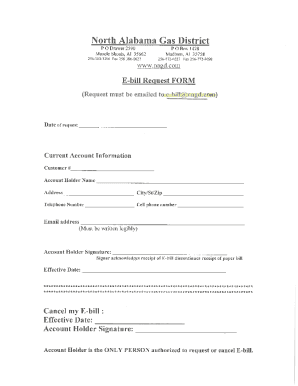
Get Al North Alabama Gas District E-bill Request Form 2020-2026
How it works
-

Open form follow the instructions
-

Easily sign the form with your finger
-

Send filled & signed form or save
How to fill out the AL North Alabama Gas District E-Bill Request Form online
This guide provides users with a clear and straightforward approach to completing the AL North Alabama Gas District E-Bill Request Form online. By following the steps outlined here, you will ensure that all required information is accurately provided, making the process efficient and hassle-free.
Follow the steps to complete your E-Bill Request Form online with ease.
- Click the ‘Get Form’ button to access the e-bill request form and open it in your preferred digital editor.
- Begin by entering your personal information in the designated fields. This may include your full name, address, and contact details. Make sure to double-check all entries for accuracy.
- Locate the section that requests account information. Here, you will need to provide your gas account number. This information ensures that your request is linked to your existing account.
- Select your preferred communication method from the available options, such as email or text messaging. This choice determines how you will receive notifications regarding your e-bill.
- Review your completed form to ensure that all information is correct and complete. It's important to verify that you have not missed any required fields before submission.
- Once finalized, save your changes to ensure the information is preserved. You can then download the form for your records, print it out, or share it if needed.
Take a moment to compete the AL North Alabama Gas District E-Bill Request Form online today!
You can pay your North Alabama Gas District bill in the following ways: Online. Mail. Office counter. Night drop box. Phone (1-833-336-0999 – toll free) Mobile application (Apple and Android) Automatic bank draft.