Loading
Get Steve Kravitz Physical Therapy Hipaa - Privacy Act Information 2017-2026
How it works
-

Open form follow the instructions
-

Easily sign the form with your finger
-

Send filled & signed form or save
How to fill out the Steve Kravitz Physical Therapy HIPAA - Privacy Act Information online
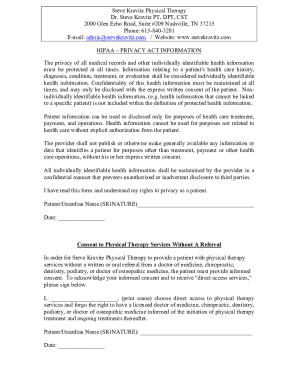
Filling out the Steve Kravitz Physical Therapy HIPAA - Privacy Act Information form is an important step in safeguarding your medical privacy. This guide provides you with clear, step-by-step instructions to help you complete the form online with confidence and clarity.
Follow the steps to complete the HIPAA Privacy Act Information form effectively.
- Press the ‘Get Form’ button to access the HIPAA - Privacy Act Information document and open it in the editor for online completion.
- Begin by reading the introductory section of the form to understand your rights regarding the privacy of your health information. This section emphasizes the importance of confidentiality and the conditions under which your information can be disclosed.
- Locate the area where it asks for your name or the name of your guardian. You will need to print the name clearly as it will require a signature later in the document.
- In the signature field, ensure you are signing the document to indicate you have read and understand your privacy rights as a patient. This signature confirms your consent regarding the confidentiality of your health information.
- Proceed to the section on consent to physical therapy services without a referral. Here, you will see a prompt to print your name if you choose to access services directly without a referral from a healthcare provider.
- Sign the consent acknowledgment statement to confirm you understand the implications of forgoing a referral. Make sure to date your signature appropriately.
- After completing all sections, review the form for any errors or missing information. Ensure all required fields are properly filled in before proceeding.
- Finally, save your changes and choose the option to download, print, or share the form electronically as needed, ensuring you have a copy for your records.
Start completing your document online today for a seamless experience.