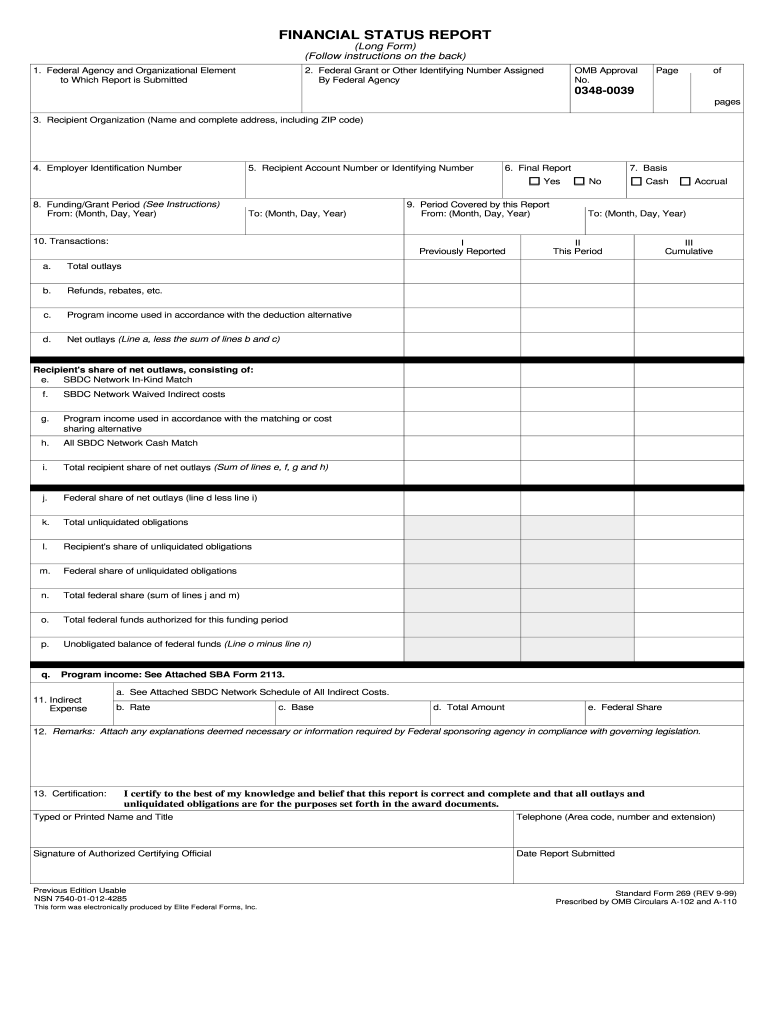
Typed or Printed Name and Title Telephone Area code number and extension Signature of Authorized Certifying Official Date Report Submitted Previous Edition Usable NSN 7540-01-012-4285 This form was electronically produced by Elite Federal Forms Inc. Standard Form 269 REV 9-99 Prescribed by OMB Circulars A-102 and A-110. FINANCIAL STATUS REPORT Long Form Follow instructions on the back 1. Federal Agency and Organizational Element to Which Report is Submitted 2. Federal Grant or Other Identifying Number Assigned OMB Approval No* Page of 0348-0039 pages 3. Recipient Organization Name and complete address including ZIP code 4. Employer Identification Number 5. Recipient Account Number or Identifying Number 6. Final Report Yes 8. Funding/Grant Period See Instructions From Month Day Year 10. Transactions 9. Period Covered by this Report I Previously Reported a* II This Period III Cumulative Program income used in accordance with the deduction alternative d. Accrual Refunds rebates etc* c* Ca....
Loading

Open form follow the instructions

Easily sign the form with your finger

Send filled & signed form or save
How to fill out the OMB SF 269 online
The OMB SF 269 is a crucial financial status report used by recipients of federal grants to provide accountability and transparency regarding the use of federal funds. This guide offers a step-by-step walkthrough to help users complete the form online effectively.
Follow the steps to fill out the OMB SF 269 online
- Click the ‘Get Form’ button to access the OMB SF 269 and open it in your online document editor.
- In section 1, enter the federal agency and organizational element to which the report is being submitted.
- Provide the federal grant or other identifying number assigned by the federal agency in section 2.
- Fill out the recipient organization’s name and complete address, including ZIP code, in section 3.
- Input the employer identification number in section 4.
- Enter the recipient account number or identifying number in section 5.
- Indicate whether this is a final report in section 6 by marking 'Yes' or 'No'.
- In section 8, input the funding or grant period, including the start and end dates.
- Specify the period covered by the report in section 9 by including the relevant dates.
- In section 10, accurately report the transactions, categorizing them into previously reported, this period, and cumulative figures.
- Complete section 11, detailing indirect expenses, including rates and totals.
- Provide any necessary remarks or explanations in section 12 as required by the federal sponsoring agency.
- Certify the report by entering your typed or printed name and title, along with the telephone number. Ensure the signature of the authorized certifying official is included and note the date the report is submitted.
- Review all entered information for accuracy before saving your changes, and then choose to download, print, or share the completed form.
Start completing your documents online today!
Experience a faster way to fill out and sign forms on the web. Access the most extensive library of templates available.
Related content
1. Federal Agency and Organizational Element. 2. Federal Grant or Other Identifying Number...
1. Federal Agency and Organizational Element. 2. Federal Grant or Other Identifying Number...
Jun 30, 2015 — Respondents should be aware that notwithstanding any other provision of...
Use professional pre-built templates to fill in and sign documents online faster. Get access to thousands of forms.
If you believe that this page should be taken down, please follow our DMCA take down process here.