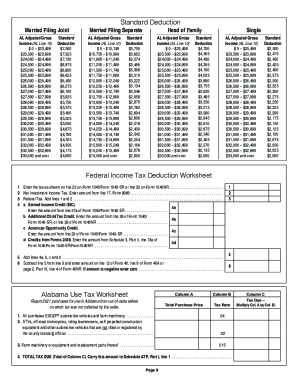
Get Alabama Revenue Gov Forms Health
How It Works
-
Open form follow the instructions
-
Easily sign the form with your finger
-
Send filled & signed form or save
Tips on how to fill out, edit and sign Alabama individual income tax forms online
How to fill out and sign 2021 booklet online?
Get your online template and fill it in using progressive features. Enjoy smart fillable fields and interactivity. Follow the simple instructions below:
Finding a authorized professional, making an appointment and coming to the office for a personal meeting makes completing a Alabama Revenue Gov Forms Health from beginning to end stressful. US Legal Forms helps you to quickly create legally binding documents according to pre-constructed browser-based blanks.
Perform your docs in minutes using our easy step-by-step guide:
- Get the Alabama Revenue Gov Forms Health you need.
- Open it using the online editor and begin adjusting.
- Fill in the blank fields; involved parties names, addresses and phone numbers etc.
- Change the template with smart fillable fields.
- Include the date and place your electronic signature.
- Click on Done following double-examining everything.
- Save the ready-created document to your gadget or print it like a hard copy.
Quickly create a Alabama Revenue Gov Forms Health without needing to involve experts. There are already more than 3 million users making the most of our unique collection of legal documents. Join us today and get access to the #1 library of browser-based blanks. Try it yourself!
How to edit 40 booklet: customize forms online
Take full advantage of our powerful online document editor while completing your paperwork. Fill out the 40 booklet, indicate the most important details, and easily make any other necessary modifications to its content.
Completing documents electronically is not only time-saving but also comes with an opportunity to edit the template according to your requirements. If you’re about to manage the 40 booklet, consider completing it with our comprehensive online editing tools. Whether you make a typo or enter the requested data into the wrong field, you can instantly make adjustments to the form without the need to restart it from the beginning as during manual fill-out. Aside from that, you can point out the critical data in your paperwork by highlighting certain pieces of content with colors, underlining them, or circling them.
Adhere to these quick and simple actions to complete and edit your 40 booklet online:
- Open the file in the editor.
- Enter the necessary information in the empty areas using Text, Check, and Cross tools.
- Follow the form navigation not to miss any required areas in the template.
- Circle some of the significant details and add a URL to it if needed.
- Use the Highlight or Line options to point out the most important facts.
- Select colors and thickness for these lines to make your sample look professional.
- Erase or blackout the facts you don’t want to be visible to other people.
- Substitute pieces of content that contain errors and type in text that you need.
- Finish editing with the Done button once you make certain everything is correct in the form.
Our extensive online solutions are the best way to fill out and modify 40 booklet according to your needs. Use it to prepare personal or professional documents from anyplace. Open it in a browser, make any adjustments to your documents, and return to them at any moment in the future - they all will be safely kept in the cloud.
Experience a faster way to fill out and sign forms on the web. Access the most extensive library of templates available.
Alabama form 40 instructions FAQ
Use professional pre-built templates to fill in and sign documents online faster. Get access to thousands of forms.
Keywords relevant to Alabama Revenue Gov Forms Health
- nondeductible
- keogh
- nonqualified
- nonresident
- ATP
- 40V
- Barcode
- 40a
- roth
- preparer
- prorated
- underpayment
- ez
- Nonresidents
- hbc
USLegal fulfills industry-leading security and compliance standards.
-

VeriSign secured
#1 Internet-trusted security seal. Ensures that a website is free of malware attacks.
-


Accredited Business
Guarantees that a business meets BBB accreditation standards in the US and Canada.
-

TopTen Reviews
Highest customer reviews on one of the most highly-trusted product review platforms.

