Loading
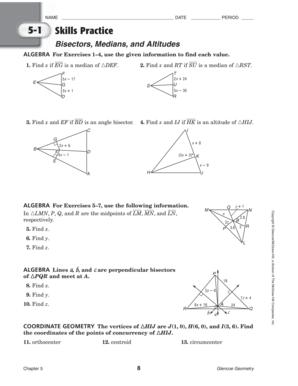
Get Chapter 5 Resource Masters Glencoe Texas Geometry
How it works
-

Open form follow the instructions
-

Easily sign the form with your finger
-

Send filled & signed form or save
How to fill out the Chapter 5 Resource Masters Glencoe Texas Geometry online
This guide provides a comprehensive overview of how to complete the Chapter 5 Resource Masters Glencoe Texas Geometry form online. Whether you are a student or instructor, these instructions will help ensure you fill out the document accurately and efficiently.
Follow the steps to successfully complete the form
- Click ‘Get Form’ button to obtain the form and open it in the editor.
- Begin filling out the identification section by entering your name, the date, and the period in the designated fields. This information is crucial for tracking and organizing submissions.
- Progress to the Skills Practice section, where you will need to input your answers for the algebraic exercises. Carefully read each question before providing the value of x or the related geometric measurement as required.
- Next, complete the word problems section. Reflect on the mathematical scenarios presented and provide clear, logical answers based on the geometric principles you have studied.
- Ensure you have thoroughly reviewed all entries for accuracy before saving your work.
- Finally, select the option to save changes, download, print, or share the completed form as needed. This will allow you to maintain a copy for your records or turn it in as required.
Start filling out your document online now to enhance your geometry skills!