Loading
Get Ae Trakhees Accreditation / Training Registration Form 2016-2026
How it works
-

Open form follow the instructions
-

Easily sign the form with your finger
-

Send filled & signed form or save
How to fill out the AE Trakhees Accreditation / Training Registration Form online
Filling out the AE Trakhees Accreditation / Training Registration Form online is a straightforward process that requires careful attention to detail. This guide will provide you with step-by-step instructions to ensure successful completion of the form.
Follow the steps to complete the registration form effectively.
- Click ‘Get Form’ button to obtain the form and open it in the editor.
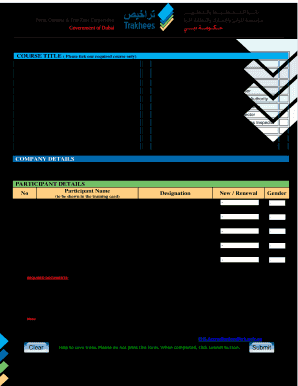
- Once the form is open, begin by selecting the course title that you wish to register for. You must tick the box next to one required course only from the list provided.
- Fill out the company details section by providing the company name and email address in the designated fields.
- Move on to the participant details section. Enter the participant’s name as it should appear on the training card, trade license number, contact number, and designation.
- Indicate whether this application is for a new registration or a renewal by selecting the appropriate option.
- If applicable, list the old card numbers in the spaces provided.
- Complete the gender section by selecting the appropriate option.
- Prepare and attach the required documents as listed, including a passport copy with a valid visa page and other relevant documents. Ensure that all documents (except the photo) are in PDF format and properly named.
- Review the completed form for any errors or omissions before submitting.
- Once you have confirmed that all information is accurate, click the submit button to send the form along with the required documents to the provided email address.
- After submission, consider saving changes or printing a copy for your records.
Complete your registration documents online today to ensure a seamless accreditation process.