Loading
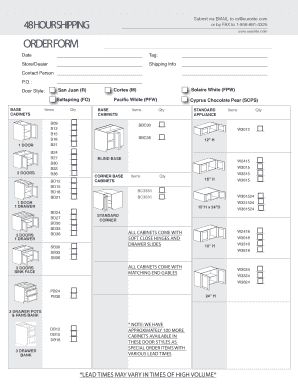
Get Fillable Online Order Form - Kitchen Cabinetry Bathroom ...
How it works
-

Open form follow the instructions
-

Easily sign the form with your finger
-

Send filled & signed form or save
How to use or fill out the Fillable Online ORDER FORM - Kitchen Cabinetry Bathroom online
This guide provides clear instructions on how to effectively complete the Fillable Online ORDER FORM for kitchen and bathroom cabinetry. Whether you are new to filling out online forms or just need a refresher, this step-by-step approach will help you navigate each section with ease.
Follow the steps to fill out the form accurately.
- Click ‘Get Form’ button to obtain the online form and open it in your browser.
- Begin by entering the order date in the designated Date field. Ensure that the date format is consistent with the requirements.
- Fill in the tag for identification, providing context for your order if applicable.
- In the Store/Dealer section, provide the name of the store or dealer from which you are placing the order.
- Next, enter your Shipping Info, which includes the delivery address for the order.
- For the Contact Person section, input the name of the individual responsible for this order.
- Fill out the P.O. (Purchase Order) Number if you have one; this will help in tracking your order.
- Select the Door Style from the provided options, such as Saltspring or Cortes, marking your choice clearly.
- Proceed to enter the quantity for various cabinetry items categorized under BASE, WALL, and VANITY sections, as required.
- Review all the selections and quantities entered to ensure accuracy before final submission.
- Once completed, you can save changes, and opt to download, print, or share the form as needed.
Start filling your document online to place your order today!