Loading
Get Mnec
How it works
-

Open form follow the instructions
-

Easily sign the form with your finger
-

Send filled & signed form or save
How to fill out the Mnec online
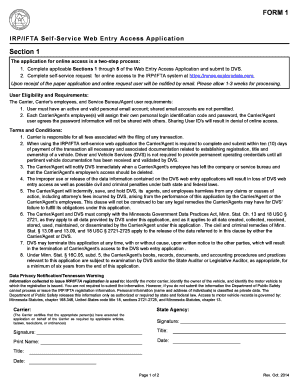
This guide provides comprehensive instructions for completing the Mnec online. Whether you are a first-time user or need assistance with specific sections, this resource aims to simplify the process.
Follow the steps to successfully complete the Mnec application.
- Use the ‘Get Form’ button to access the Mnec application form and open it in your web browser.
- In Section 1, agree to the terms and conditions by signing the agreement. Ensure that you understand the responsibilities and requirements for access.
- Complete Section 2 with the IRP/IFTA Carrier Account Name and Account Number. Enter the contact information for the primary person responsible for communication.
- In Section 3, list all carrier or employee names who require access. Indicate whether each individual is authorized to process IRP and IFTA transactions by choosing 'Yes' or 'No'.
- Complete Section 4 if requesting access for a Service Bureau or Agent, providing the name and confirming their authorization to process IRP and IFTA transactions.
- Finalize your application in Section 5 by signing and dating the form. Print your name and title to validate your submission.
- After reviewing your completed form, save your changes, and if applicable, download or print it for your records before mailing it to the specified address.
Complete your Mnec application online to ensure a smooth process.