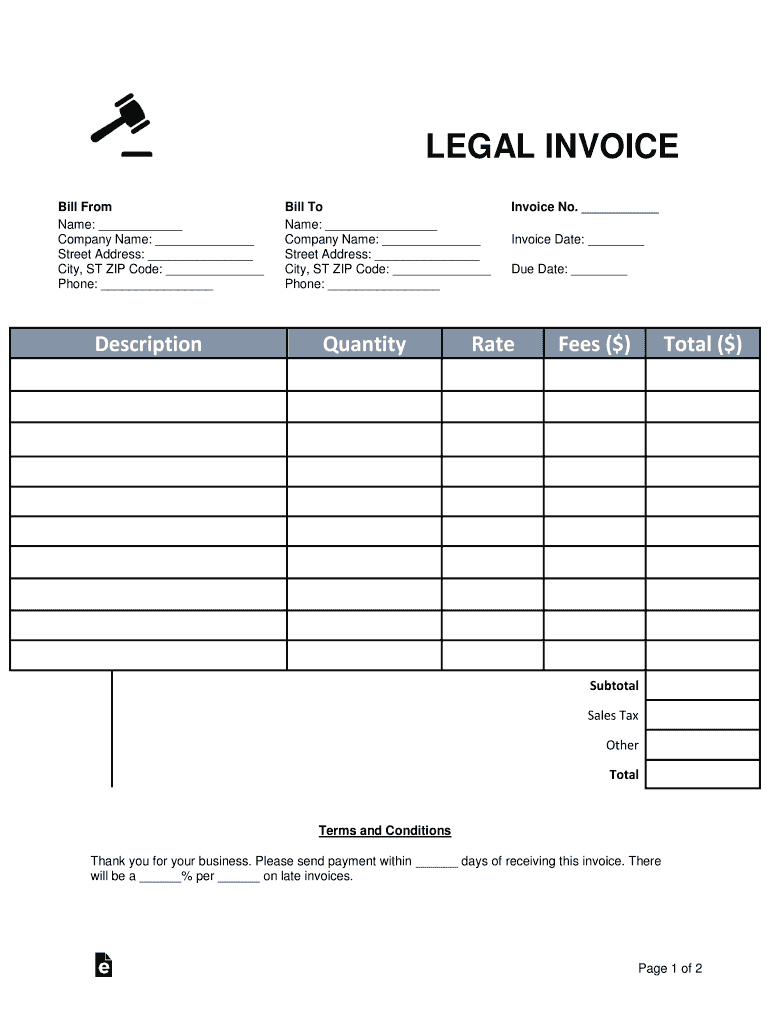
LEGAL INVOICE Bill From Name: Company Name: Street Address: City, ST ZIP Code: Phone: DescriptionBill To Name: Company Name: Street Address: City, ST ZIP Code: Phone: QuantityInvoice No. Invoice Date:.
Loading

Open form follow the instructions

Easily sign the form with your finger

Send filled & signed form or save
How to fill out the Malaysia Tax Invoice Template online
Filling out the Malaysia Tax Invoice Template online can be a straightforward process when you understand each component. This guide will walk you through the essential steps to ensure your invoice is completed accurately and efficiently.
Follow the steps to complete the Malaysia Tax Invoice Template online:
- Click ‘Get Form’ button to access the Malaysia Tax Invoice Template. This will open the document for you to input the required information.
- In the 'Bill From' section, enter your name, company name, street address, city, state, ZIP code, and phone number. This information identifies you as the sender of the invoice.
- In the 'Bill To' section, provide the recipient’s name, company name, street address, city, state, ZIP code, and phone number. This details who the invoice is being sent to.
- In the 'Invoice No.' field, assign a unique number to the invoice for your records. This helps in tracking the invoice in the future.
- In the 'Quantity' field, specify the quantity of goods or services provided.
- Calculate the 'Total' fees by multiplying the quantity by the rate and enter this amount.
- Total all amounts to show the final total due in the 'Total' section.
- Review the 'Terms and Conditions' section and specify any necessary payment terms, including the number of days for payment and penalties for late payments.
- Select a payment type (Credit Card or Bank Wire) and enter the necessary payment details as required.
- Finally, review the entire invoice for accuracy, save your changes, and download or print it for distribution.
Now that you know how to fill out the Malaysia Tax Invoice Template online, start creating your documents today.
Experience a faster way to fill out and sign forms on the web. Access the most extensive library of templates available.
Related content
Please find below a downloadable zipped folder containing an invoice template and sample...
Get answers to your most pressing questions about US Legal Forms API.
How do I write my own invoice?
What you need to include on any invoice Your name or company name. Your contact information. Your customer's company name and address. The date the goods or services were provided. The date of the invoice. A breakdown of costs that show prices, hours, or quantities of the goods and services delivered. A subtotal of net costs.
How do I make an international invoice?
International invoice checklist The date of issue. A unique invoice number. Your company's full name and address. The customer's full name and address. A description of the goods or services provided and the quantity. The date and place of supply. The total amount payable in the agreed currency.
How do I issue an invoice in Malaysia?
Simplified tax invoice The name (or trade name), address and GST identification number of the supplier. The date of issuance of the invoice. The invoice serial number. A description of the goods and/or services supplied. The total amount payable including the total tax chargeable.
How do I make a simple tax invoice?
What Details Should a Tax Invoice Include? Invoice number and date. Customer name. Shipping and billing address. The words 'tax invoice' clearly displayed. Seller's identity and business number. A description of the goods and services, their quantities, and price. The tax applied for each item. The total value, including tax.
What is required on a tax invoice in Malaysia?
The name (or trade name), address and GST identification number of the supplier. The date of issuance of the invoice. The invoice serial number. A description of the goods and/or services supplied.
What is the legal requirement of invoice Malaysia?
Generally, every registered person who makes taxable supply of goods and services is required to issue a tax invoice. Tax invoices must be issued within 21 days from the time of supply. The supplier must keep a copy of the tax invoice and the original should be retained by the recipient.
How to make invoice in Malaysia?
Information needed to generate an invoice The issue date, payment due date and NET terms. Sender and recipient names and contact information. A unique and identifiable invoice number (for auditing) The full amount due for the products or services being invoiced. A description of the scope of work being invoiced.
What is the easiest way to create an invoice?
Google Docs provide an easy-to-share option for creating an invoice document. With easily downloadable templates you can quickly generate an invoice, or start from scratch and create your own. To use a Google Docs invoice template: Log in to your Google account and go to your Google Drive.
Use professional pre-built templates to fill in and sign documents online faster. Get access to thousands of forms.
If you believe that this page should be taken down, please follow our DMCA take down process here.