Loading
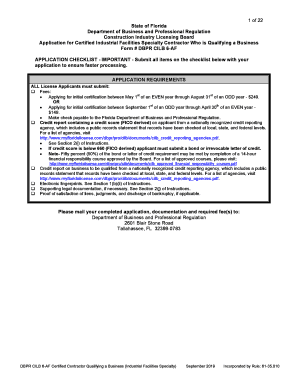
Get 1 Of 25 State Of Florida Department Of Business And ...
How it works
-

Open form follow the instructions
-

Easily sign the form with your finger
-

Send filled & signed form or save
How to use or fill out the 1 of 25 State of Florida Department of Business and Professional Regulation form online
This guide will provide you with detailed instructions on how to complete the 1 of 25 State of Florida Department of Business and Professional Regulation form online. Whether you are a first-time applicant or require clarification on specific sections, this resource is designed to assist you throughout the process.
Follow the steps to successfully complete your application form.
- Click the ‘Get Form’ button to access the application form and open it for editing.
- Navigate to Section I – Application Type. Here, check the appropriate box for the type of certification you are seeking. Ensure that you only select one application type.
- Move to Section II – Applicant Personal Information. Fill out all required fields including your full legal name, social security number, and contact details. Make sure that your name matches your identification documents.
- In Section III – Qualifications for Certified License, select one method of qualification that aligns with your experience or education. It’s essential to thoroughly read the qualifications to ensure proper selection.
- Provide your employment history in detail in Section IV. Each employer's information must be accurate, including contact details, dates of employment, and your role. Ensure that you can demonstrate the experience listed.
- In Section V, declare your primary qualifier information. If applicable, indicate if there is a financial responsible officer assigned and include relevant details.
- Proceed to Section VIII – Insurance Coverage, where you need to affirm your insurance details as required by the board. Ensure compliance with the specified amounts for general liability and property damage.
- Complete Section IX – Financial Responsibility & Stability Requirements. Submit a recent credit report demonstrating a score of 660 or higher and address any judgments or liens if applicable.
- Answer the Background Questions in Section X honestly. Describe any legal issues in Sections XI and XII if applicable.
- Finally, in Section XIII, provide your affirmation by signing and dating the application, confirming the accuracy of the information provided.
- After completing the application, save your changes and download a copy for your records. You may print the document for submission or share it as needed.
Complete your application document online today to ensure a smooth and efficient licensing process.
Get form
Experience a faster way to fill out and sign forms on the web. Access the most extensive library of templates available.
Related links form
Get This Form Now!
Use professional pre-built templates to fill in and sign documents online faster. Get access to thousands of forms.
Industry-leading security and compliance
US Legal Forms protects your data by complying with industry-specific security standards.
-
In businnes since 199725+ years providing professional legal documents.
-
Accredited businessGuarantees that a business meets BBB accreditation standards in the US and Canada.
-
Secured by BraintreeValidated Level 1 PCI DSS compliant payment gateway that accepts most major credit and debit card brands from across the globe.