Loading
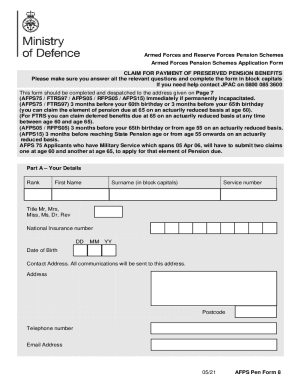
Get Uk Afps Pen Form 8 2021
How it works
-

Open form follow the instructions
-

Easily sign the form with your finger
-

Send filled & signed form or save
How to fill out the UK AFPS Pen Form 8 online
This guide provides step-by-step instructions on how to complete the UK AFPS Pen Form 8 online. It is designed to assist users of all experience levels in accurately filling out the form to claim their pension benefits.
Follow the steps to complete the form correctly.
- Press the ‘Get Form’ button to obtain the form and open it in your PDF editor.
- In Part A, fill in your details including rank, first name, surname, service number, title, National Insurance number, date of birth, contact address, telephone number, and email address. Ensure that all information is written in block capitals.
- Move on to Part B, which is the application for pension benefits. Indicate whether your pension is subject to a Pension Sharing Order. Tick the appropriate boxes for the type of pension you wish to claim and provide the dates as required.
- Complete Part C with your bank account details. Specify whether you want your pension paid into a UK or overseas bank account and provide the necessary information for the chosen account.
- In Part D, answer questions regarding the recycling of Pension Lump Sums. Provide your intentions related to reinvestment, if applicable.
- Proceed to Part E to disclose any other pensions currently in payment. If applicable, provide the name of the scheme, reference number, payment start dates, and the gross annual amount.
- In Part F, indicate whether you have obtained any form of protection from HMRC and include a copy of the Protection Certificate if necessary.
- Review Part G, which details how the Ministry of Defence collects and uses your personal information according to UK data protection legislation.
- For Part H, read and confirm the declaration by checking the statements provided. Remember that you must sign this form yourself.
- In Part I, indicate whether you wish to receive email correspondence from Veterans UK and provide your consent.
- Complete Part J by signing the form and ensuring you have a witness sign as well. Print the form, sign where indicated, and have your witness sign.
- Finally, send the completed form to the address provided: Veterans UK, Pensions Division, MP 335, Kentigern House, 65 Brown St, Glasgow, G2 8EX. You may choose to save changes to your document before sending to keep a record.
For a smooth process, ensure you complete the UK AFPS Pen Form 8 online and follow each instruction carefully.
Get form
Experience a faster way to fill out and sign forms on the web. Access the most extensive library of templates available.
Related links form
Get This Form Now!
Use professional pre-built templates to fill in and sign documents online faster. Get access to thousands of forms.