Loading
Get Timed Voiding Chart
How it works
-

Open form follow the instructions
-

Easily sign the form with your finger
-

Send filled & signed form or save
How to fill out the Timed Voiding Chart online
The Timed Voiding Chart is a beneficial tool for individuals undergoing bladder retraining. This guide provides clear, step-by-step instructions on how to effectively complete the chart online.
Follow the steps to accurately fill out the Timed Voiding Chart.
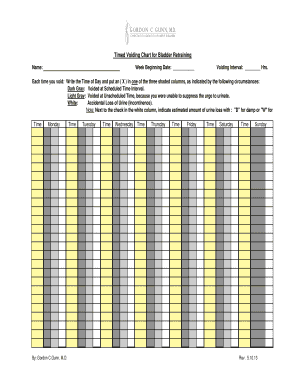
- Press the ‘Get Form’ button to access the Timed Voiding Chart and open it in your preferred online editor.
- In the 'Name' field, enter your full name to identify the chart accurately.
- In the 'Week Beginning Date' field, input the date that marks the start of your tracking week.
- Specify the 'Voiding Interval' in hours, indicating how frequently you plan to attempt voiding.
- For each time you void, record the time of day in the corresponding space for every day of the week (Monday through Sunday).
- Select the appropriate column for each voiding event by placing an (X) in one of the three shaded areas: Dark Gray for scheduled voiding, Light Gray for unscheduled voiding due to urgency, and White for accidental loss of urine.
- If you check the white column, denote the estimated amount of urine loss with 'D' for damp or 'W' for wet in the provided space.
- After ensuring all details are correctly filled, save your changes, and choose to download, print, or share the completed form as needed.
Complete your Timed Voiding Chart online today for effective bladder retraining.
As opposed to timed voiding, in which the patient regulates his or her own schedule, prompted voiding is most often applied in settings such as long-term care, where patients have impaired mobility or cognition due to dementia or Alzheimer's disease that increases the likelihood of incontinence; limits on mobility can ...