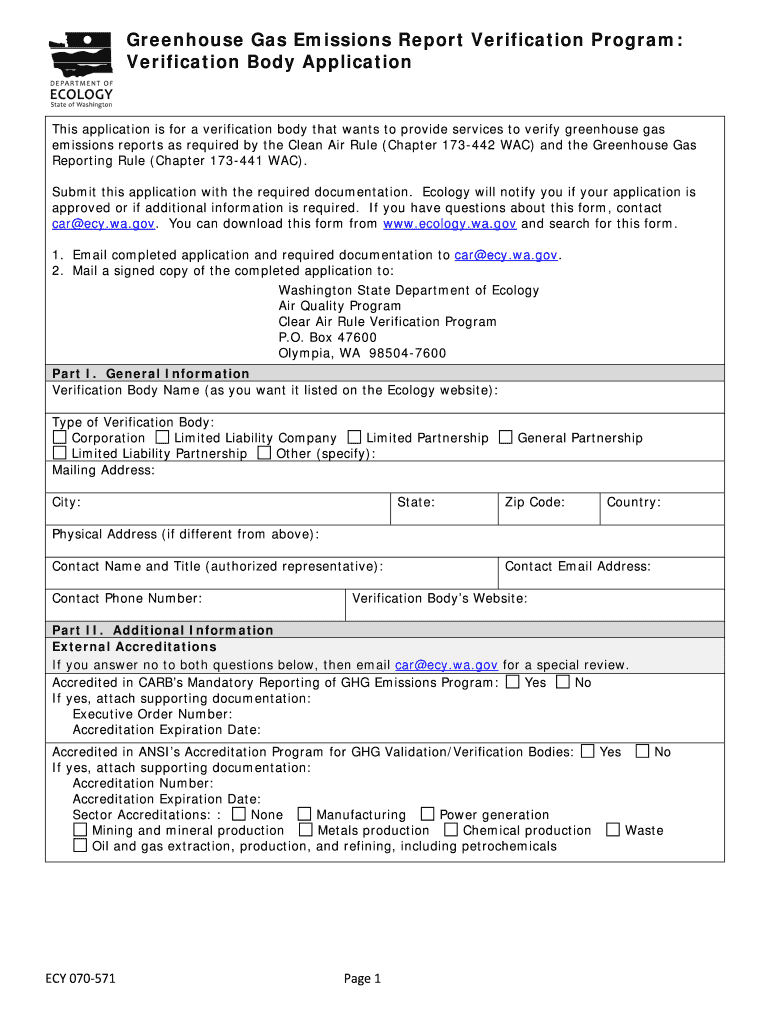
Greenhouse Gas Emissions Report Verification Program: Verification Body ApplicationThis application is for a verification body that wants to provide services to verify greenhouse gas emissions reports.
Loading

Open form follow the instructions

Easily sign the form with your finger

Send filled & signed form or save
How to fill out the WA ECY 070-571 online
The WA ECY 070-571 is an essential application for organizations seeking to verify greenhouse gas emissions reports as mandated by state regulations. This guide provides clear, step-by-step instructions for users to fill out this form accurately and effectively online.
Follow the steps to complete the form smoothly.
- Click ‘Get Form’ button to access the application. This will allow you to begin filling out the WA ECY 070-571 document smoothly.
- Begin with Part I: General Information. Enter the verification body name as you would like it displayed on the Ecology website. Choose the type of verification body from the given options: Corporation, Limited Liability Company, Limited Partnership, Limited Liability Partnership, General Partnership, or Other (specify).
- Fill in the mailing address, including city, state, zip code, and country. If the physical address differs from the mailing address, provide that information as well. Include the contact name, title, phone number, email address, and website for the verification body.
- Proceed to Part II: Additional Information. Address the external accreditations: indicate if accredited in CARB’s Mandatory Reporting of GHG Emissions Program and provide supporting documentation if applicable. Similarly, indicate if accredited in ANSI’s Accreditation Program and provide its details if 'Yes' is selected.
- List the verification staff information. Include the names of the employees and subcontractors who will provide verification services, specifying their roles. Ensure that at least two lead verifiers are employed, with the first person listed serving as the contact.
- Answer the question regarding judicial proceedings, enforcement actions, or administrative actions. If applicable, provide detailed information in the table and attach necessary documentation.
- For the list of attachments, check each box and ensure you attach: Professional Liability Insurance, Technical Training documentation, Methods to Prevent Conflict of Interest, Identification of Services, Organization Chart, and an Internal Conflict of Interest Policy.
- Finalize the application in Part III: Certification Statement. The contact person from Part I must complete this section, certifying the accuracy of the information provided, signing, and dating the application.
- Review the completed application to ensure all fields are filled accurately. Once satisfied, save the changes, download the form, or print it as required.
Complete your WA ECY 070-571 application online today for successful verification!
Experience a faster way to fill out and sign forms on the web. Access the most extensive library of templates available.
Related content
The mission of the Department of Ecology is to protect, preserve, and enhance Washington's...
Use professional pre-built templates to fill in and sign documents online faster. Get access to thousands of forms.
If you believe that this page should be taken down, please follow our DMCA take down process here.