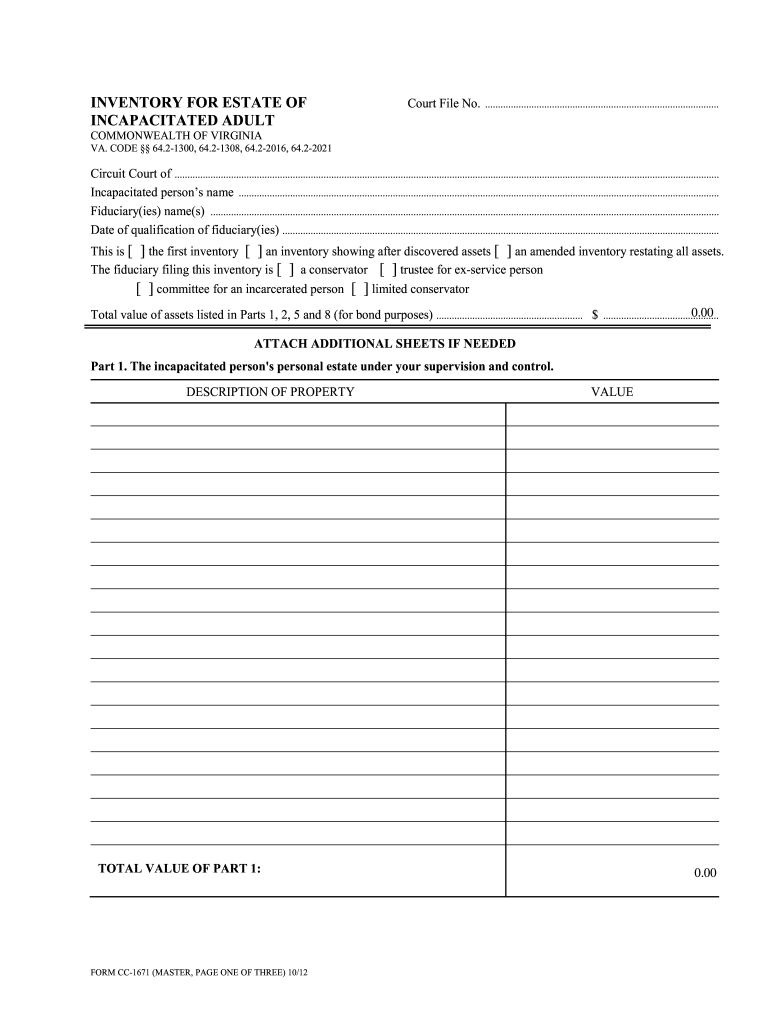
OMMONWEALTH OF VIRGINIA VA. CODE 64.2-1300, 64.2-1308, 64.2-2016, 64.2-2021 Circuit Court of .................................................................................................................................................................................................................... Incapacitated person s name .
Loading

Open form follow the instructions

Easily sign the form with your finger

Send filled & signed form or save
How to fill out the VA CC-1671 online
Filling out the VA CC-1671, the inventory for the estate of an incapacitated adult, is an important step in properly managing the estate and its assets. This guide provides clear, step-by-step instructions to help users navigate the form easily, ensuring all necessary information is provided accurately.
Follow the steps to complete the VA CC-1671 accurately and efficiently.
- Click the ‘Get Form’ button to obtain the document and open it in your preferred online editing tool.
- Enter the court file number in the designated field. This number is typically provided by the court and is essential for proper identification of the file.
- Indicate the circuit court from which you are filing by entering the appropriate name. This will ensure that the inventory is linked to the correct court.
- Fill in the incapacitated person’s name clearly. Use their full legal name to avoid any confusion.
- Provide the names of the fiduciaries involved in managing the estate. This can include conservators, trustees, or others responsible for asset management.
- Input the date when the fiduciaries qualified. This date is crucial as it marks the official taking on of responsibilities.
- Select one of the options indicating the nature of the inventory by checking the appropriate box: whether it is the first inventory, an inventory showing after-discovered assets, or an amended inventory.
- Select the type of fiduciary filing the inventory by checking the relevant box, such as conservator or trustee for an ex-service person.
- Total the value of assets listed in Parts 1, 2, 5, and 8 for bond purposes and enter this amount in the specified field.
- Proceed to Part 1 and describe the incapacitated person’s personal estate under your supervision, providing total value for this section.
- Move to Part 2 to list the incapacitated person’s real estate in Virginia, also detailing the value.
- Continue with Part 3 to note other real estate the incapacitated person owns in Virginia.
- In Part 4, provide details about any real estate owned outside of Virginia.
- In Part 5, document interests in any property that will pass upon the incapacitated person's death by way of survivorship or beneficiary designation.
- Complete Part 6 by indicating any interests the incapacitated person has in trusts.
- In Part 7, specify the rights to periodic payments from certain U.S. government agencies, including the total annual value.
- In Part 8, list the right to periodic payments from other sources, ensuring to provide the total annual value.
- Complete the Certificate of Accuracy and Completeness by having each fiduciary sign and date the document, confirming that the inventory is accurate and complete.
- Submit the form for review, and once completed, save changes, download, print, or share the VA CC-1671 as necessary.
Begin completing your VA CC-1671 form online today to ensure the effective management of the estate.
Experience a faster way to fill out and sign forms on the web. Access the most extensive library of templates available.
Related content
FORM CC-1671 (MASTER, PAGE ONE OF THREE) 10/12. INVENTORY FOR ESTATE OF. Court File No...
Northampton County (Va. ) Records, 1671-1885 A Guide to the Northampton Processed by:...
Mar 6, 2019 — When using this equipment, thoroughly read this manual and the associated...
Get answers to your most pressing questions about US Legal Forms API.
How do I submit an intent to file to the VA?
You can submit your intent to file to the VA online or by mail. If you choose the online method, use the VA's eBenefits portal, which is fast and efficient. Alternatively, print your notice and send it to the appropriate VA office. For assistance, consider the USLegalForms platform, which provides a user-friendly approach to submitting your VA CC-1671.
How long does an intent to file last with the VA?
An intent to file with the VA remains valid for one year from the date of submission. This period allows you to gather necessary documents and submit your full claim. Utilizing VA CC-1671 can help you understand the timeframes associated with your filing. Keep in mind that once the year expires, you will need to refile an intent to file.
How to do an intent to file with the VA?
To initiate an intent to file with the VA, you must provide your written notice to the VA. This notice should include your personal details along with specific information about your claim. Consider using the USLegalForms platform for template options that incorporate VA CC-1671, making the process easier. After submission, you can retain a copy for your records.
How to file VA Form 10 3542?
Filing VA Form 10-3542 is straightforward. First, download the form from the VA's official website or use the USLegalForms platform for convenience. Complete the form with accurate information, and then send it to the appropriate VA medical facility. Using VA CC-1671 ensures you correctly follow the guidelines for filing.
What does a real estate affidavit do in Virginia?
Upon receipt of the affidavit, the commissioner may transfer the real estate upon the land books and assess the real estate in ance therewith.
What is the limit for a small estate affidavit in Virginia?
"Small asset" means any indebtedness owed to or any asset belonging or presently distributable to the decedent, other than real property, having a value, on the date of the decedent's death, of no more than $50,000.
What is the purpose of the real estate affidavit in Virginia?
This affidavit can be used to transfer title of the real estate to the heirs. The person filing the affidavit need not be the personal representative of the estate. Of course, this option to transfer ownership would not be available if the decedent died with a will (e.g., died testate).
How do I fill out a real estate affidavit in Virginia?
1:12 2:30 Virginia Small Estate Affidavit - EXPLAINED - YouTube YouTube Start of suggested clip End of suggested clip Step three get the affidavit. Notarized. Once 60 days have passed since the death of the deceased.MoreStep three get the affidavit. Notarized. Once 60 days have passed since the death of the deceased. Sign the affidavit in the presence of a notary public the notary also has to sign the affidavit.
How does a small estate affidavit work in Virginia?
Virginia law says a small estate affidavit has to: Provide the name of the person who died and the date of the death. State that the value of the assets in the estate is less than $50,000. State that at least 60 days have passed since the death.
Use professional pre-built templates to fill in and sign documents online faster. Get access to thousands of forms.
If you believe that this page should be taken down, please follow our DMCA take down process here.