Loading
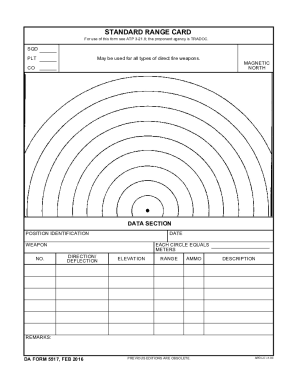
Get Da 5517 (formerly 5517-r) 2016-2026
How it works
-

Open form follow the instructions
-

Easily sign the form with your finger
-

Send filled & signed form or save
How to fill out the DA 5517 (Formerly 5517-R) online
Filling out the DA 5517 form online is a straightforward process that ensures your information is organized and easily accessible. This guide will provide you with clear, step-by-step instructions to help you complete the form efficiently.
Follow the steps to complete the DA 5517 online.
- Click the ‘Get Form’ button to access the DA 5517 form. This button will allow you to retrieve the document and open it for editing.
- Begin by entering the date in the designated field. This section is crucial as it identifies when the information was recorded.
- Next, provide the identification for the position under the 'Position Identification' section. Ensure that this information is accurate to avoid any potential confusion.
- Fill in the 'Weapon No.' field with the corresponding number for the weapon being documented. This helps in tracking and managing weapon resources effectively.
- Indicate the direction or deflection of the weapon by filling in the designated area of the form related to direction and deflection. This data is vital for operational purposes.
- Complete the elevation details, specifying the elevation settings for the weapon. This will inform users of the necessary adjustments during operation.
- Input the range information. It is important to accurately record the range to ensure proper targeting and effective use of the weapon.
- Document the ammunition type utilized by detailing it in the 'Ammo Description' section. It is essential for logistics and operational planning.
- Add any additional remarks in the 'Remarks' section. Use this space for any notes or important information regarding the form or weapon that may need to be highlighted.
- Once all fields are completed, review your entries for accuracy. Then, you can save changes, download the form, print it, or share it as necessary.
Complete your documents online today to ensure seamless management and accessibility.