Loading
Get Pa 600 M (sg) 2015-2026
How it works
-

Open form follow the instructions
-

Easily sign the form with your finger
-

Send filled & signed form or save
How to fill out the PA 600 M (SG) online
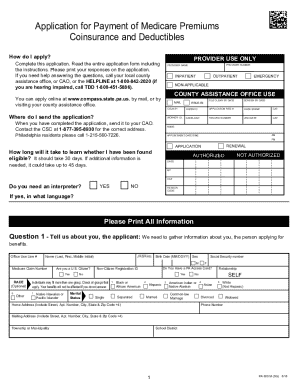
Filling out the PA 600 M (SG) application form online can streamline the process of applying for payment of Medicare premiums, coinsurance, and deductibles. This guide provides a step-by-step approach to help users navigate each section of the form with ease.
Follow the steps to complete your application successfully.
- Click ‘Get Form’ button to access the application form and open it in your preferred editor.
- Begin by completing your personal information in Question 1, including your name, date of birth, Social Security number, and Medicare Claim number.
- In Question 2, provide details about your spouse if they live with you, including their name, date of birth, and citizenship status.
- Proceed to Question 3 to report on any children under 21 living with you. Include their names and Social Security numbers as applicable.
- Question 4 requires information about any military service. Indicate whether anyone in your household has served in the U.S. military.
- In Question 5, you can elect to register to vote if you are not currently registered. Indicate your choice clearly.
- Provide income information in Question 6. List all income sources and amounts for yourself, your spouse, and children under 21.
- Question 7 focuses on income-related expenses. Report any expenses incurred to receive the income listed.
- Question 8 seeks information about your resources. State any assets or savings you and your household may have.
- Question 9 asks about vehicle ownership. Specify any vehicles owned, including details like make, model, and value.
- In Question 10, report on any life insurance policies you hold, including their value.
- Question 11 requests details about any additional medical insurance. Fill out this section if applicable.
- Question 12 relates to any changes in income or resources over the last three months. Indicate whether there were changes.
- Complete Question 13 regarding required documentation. Indicate if you need help obtaining proofs of income or resources.
- Fill out the Rights and Responsibilities section, ensuring you understand your obligations.
- Finally, review your application for completeness, sign and date it, then save any changes before downloading or printing your form.
Complete your PA 600 M (SG) application online today for efficient processing.