Loading
Get Wi Et-2320 2021-2026
How it works
-

Open form follow the instructions
-

Easily sign the form with your finger
-

Send filled & signed form or save
How to fill out the WI ET-2320 online
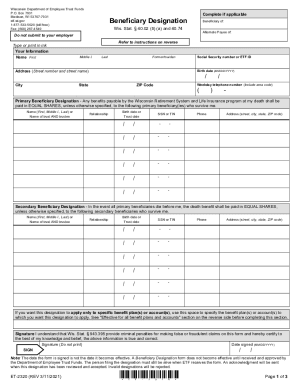
Filling out the WI ET-2320 form online is an important step in designating beneficiaries for your benefits under the Wisconsin Retirement System and the life insurance program. This guide will walk you through each section of the form to ensure clarity and accuracy in your submission.
Follow the steps to complete the Beneficiary Designation form.
- Click the ‘Get Form’ button to obtain the form and open it in your preferred document editor.
- Enter your information at the top of the form, including your name, address, Social Security number, birth date, and weekday telephone number. Ensure that this information is accurate, as it is required for processing.
- Specify your primary beneficiaries. List their names, relationships to you, birth dates or trust dates, Social Security or tax identification numbers, and their contact information. Ensure you clarify how you would like the benefits to be divided among them.
- Identify secondary beneficiaries, should all primary beneficiaries predecease you. Provide their names, relationships, birth dates, Social Security numbers or TINs, and contact information as well.
- If desired, specify any particular benefit plans or accounts to which these designations will apply. Be clear about your intentions to avoid any confusion.
- Sign and date the form at the end. Your signature certifies that the information provided is accurate to the best of your knowledge. Unsigned or undated forms will be rejected.
- Review the completed form for accuracy. Ensure all fields are filled correctly and that no extraneous notes or changes have been made.
- Once you have verified the information, save your changes, and download the form for your records. You may also choose to print it or share it as needed.
Complete your Beneficiary Designation online today to ensure your wishes are clearly documented.