Loading
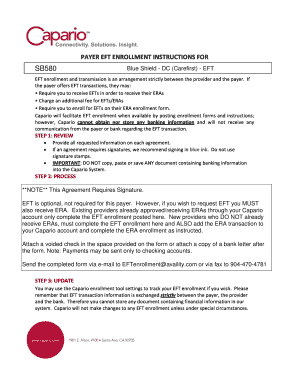
Get Carefirst Eft Enrollment Form - Capario
How it works
-

Open form follow the instructions
-

Easily sign the form with your finger
-

Send filled & signed form or save
How to fill out the CareFirst EFT Enrollment Form - Capario online
The CareFirst EFT Enrollment Form - Capario is essential for enabling electronic funds transfer for healthcare providers. This guide provides step-by-step instructions to assist users in completing the form accurately and efficiently.
Follow the steps to successfully fill out the CareFirst EFT Enrollment Form - Capario online.
- Click ‘Get Form’ button to access and retrieve the CareFirst EFT Enrollment Form - Capario for editing.
- Complete all required fields in the provider information section, including provider name, address, and contact details.
- Fill in the provider identifiers by providing your federal tax identification number (TIN) and national provider identifier (NPI), along with the assigning authority if applicable.
- Provide the financial institution information, including the name of the bank, its address, and your account details. Make sure to include the account type and routing number.
- Select the reason for submission by marking 'New Enrollment', 'Change Enrollment', or 'Cancel Enrollment' accordingly.
- Attach the required documentation such as a voided check or a bank letter, ensuring that all necessary information is clearly visible.
- Read and understand the terms of authorization, before signing the form. Use blue ink for the signature and confirm the submission date.
- Finally, send the completed form via email to EFTenrollment@availity.com or fax it to 904-470-4781.
Complete the CareFirst EFT Enrollment Form - Capario online to streamline your payment processing today!
All claims for services rendered must be submitted within 365 days from the date of service or discharge date for inpatient admissions.