Loading
Get Event Budget Template
How it works
-

Open form follow the instructions
-

Easily sign the form with your finger
-

Send filled & signed form or save
How to fill out the Event Budget Template online
Filling out the Event Budget Template online is an essential step in planning a successful event. This guide will provide you with a clear, step-by-step approach to complete each section of the form accurately and effectively.
Follow the steps to complete the Event Budget Template online.
- Click the ‘Get Form’ button to access the Event Budget Template and open it in your preferred editor.
- Begin by entering the event name at the top of the template to personalize the budget according to your specific event.
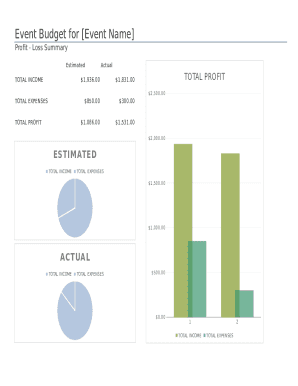
- In the profit-loss summary section, input the estimated total income in the designated field. This is where you will list all expected income sources such as admissions, advertisements, and contributions.
- Next, enter the actual total income received after the event in the appropriate field. Make sure to calculate this accurately for a clear overview of your event’s financial performance.
- Proceed to the expenses section. Start by detailing all estimated expenses. Break them down into categories such as site costs, decorations, publicity, refreshments, and program costs.
- After listing estimated expenses, input the actual expenses incurred for each category. This will help you compare your budget against the actual spending.
- In the income section, provide detailed entries for each source of estimated and actual income to complete the template. This includes specifics like ticket sales, vendor fees, and any merchandise sales.
- Finally, review all entered information for accuracy. Once confirmed, you can save your changes, download a copy, print, or share the completed template as needed.
Complete your Event Budget Template online today to effectively manage your event's finances!
Step 1: List individual items. ... Step 2: Calculate projected expenses. ... Step 3: Calculate projected incomes. ... Step 4: Set up a contingency reserve fund. ... Step 5: Compare projected expenses with incomes. ... Step 6: Calculate actual expenses. ... Step 7: Calculate actual incomes.