Loading
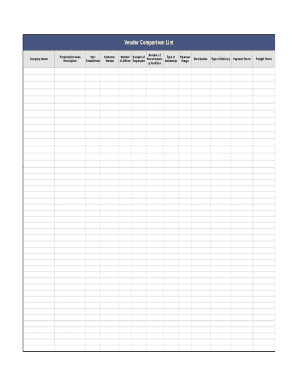
Get Vendor Comparison List
How it works
-

Open form follow the instructions
-

Easily sign the form with your finger
-

Send filled & signed form or save
How to fill out the Vendor Comparison List online
The Vendor Comparison List is an essential tool for evaluating different vendors and their offerings. This guide will help you navigate the form efficiently, ensuring you capture all necessary details to make informed decisions.
Follow the steps to complete the Vendor Comparison List online.
- Click ‘Get Form’ button to obtain the form and open it in the editor.
- Begin by entering the vendor's company name in the 'Company Name' field. This is crucial for identification purposes.
- Fill in the 'Products/Services Description' section to provide a brief overview of what the vendor offers.
- Indicate the 'Year Established' to provide context about the vendor's experience in the market.
- Describe the 'Customer Market' to specify the types of clients the vendor serves.
- Record the 'Number of Offices' the vendor operates to understand their reach and operational capacity.
- Enter the 'Number of Employees' to gauge the vendor’s size and resources.
- Specify the 'Number of Manufacturing Facilities' to assess their production capabilities.
- Indicate the 'Type of Ownership' to clarify whether the vendor is privately held, publicly traded, or otherwise.
- Fill in the 'Revenue Range' to provide insights into the vendor's financial status.
- Describe the 'Distribution' methods the vendor utilizes.
- Detail the 'Type of Delivery' options available from the vendor to ensure product availability.
- Specify 'Payment Terms' to clarify the conditions under which transactions will occur.
- Outline 'Freight Terms' to understand shipping responsibility and costs.
- Complete the vendor's contact details by filling in 'Web Site Address,' 'Contact Name,' 'Address,' 'Phone Number,' 'Fax Number,' and 'E-Mail Address' for direct communication.
- Use the 'Notes' section for any additional comments or observations pertinent to the vendor.
- After filling out all sections, save your changes, and you can opt to download, print, or share the completed form.
Start comparing vendors effectively by filling out the Vendor Comparison List online.
For you to make a great price comparison sheet, you should put a lot of thought into it. Type the title of the document at the top and create a table with an adequate number of columns and rows you need for the information you plan to collect from the different vendors about the different goods and services.