Loading
Get Fl Eviction Packet - Duval County 2020
How it works
-

Open form follow the instructions
-

Easily sign the form with your finger
-

Send filled & signed form or save
How to fill out the FL Eviction Packet - Duval County online
This guide provides detailed instructions for completing the FL Eviction Packet for Duval County. Whether you are a landlord or a tenant, following these steps will help ensure that you fill out the forms accurately and effectively.
Follow the steps to complete your eviction packet online.
- Click the ‘Get Form’ button to access and open the FL Eviction Packet in your preferred online editor.
- Begin by filling out the Civil Cover Sheet accurately. Enter the details of the case, ensuring all necessary boxes are selected to indicate the type of case, amount of claim, and plaintiff information.
- Complete the Complaint for Eviction form. Insert your name as the plaintiff, the tenant's name, the rental property's address, and details of the rental agreement.
- Review the completed form for accuracy and ensure all required signatures are present before submitting it.
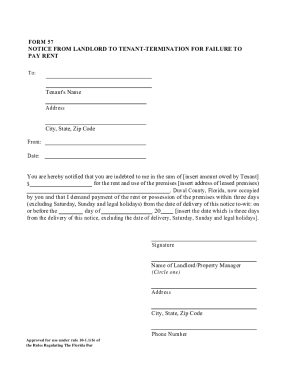
- Prepare copies of all documents for submission, including the Complaint, Summons, and any attached notices or evidence required by the court.
- After submitting, follow up to ensure that all documents have been received and accepted. Users can save changes, download, print, or share copies of the completed forms for their records.
Complete your FL Eviction Packet online today to ensure a smooth filing process.