Loading
Get Ny Tc108 2020
How it works
-

Open form follow the instructions
-

Easily sign the form with your finger
-

Send filled & signed form or save
How to fill out the NY TC108 online
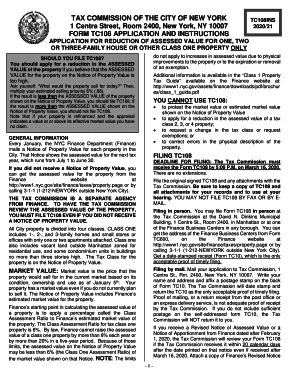
This guide provides a comprehensive overview on how to accurately fill out the NY TC108 form, which is necessary for applicants seeking a reduction in the assessed value of their property. Follow the outlined steps to ensure a smooth and successful application process.
Follow the steps to successfully complete your NY TC108 application.
- Press 'Get Form' button to access the form and open it in the editing platform.
- Begin by filling out Section 1, 'Property Identification.' Provide the block and lot numbers, and address of the property as indicated on your Notice of Property Value.
- In Section 2, 'Applicant,' indicate whether you are the owner or a person directly impacted by the assessment. If you are not the owner or tenant paying all property taxes, you must also submit Form TC200.
- Complete Section 3, 'Contact Information,' providing the details for the individual or representative to be contacted regarding the application.
- In Section 4, 'Claim of Market Value,' enter your estimate of the market value of the property, ensuring to multiply it by the applicable percentage.
- For Section 5, 'Hearing Request,' select your preference between having the application reviewed on the papers submitted or requesting an in-person hearing.
- Fill out Section 6, 'Property Description,' detailing relevant aspects of the property, such as the number of kitchens, bathrooms, and any physical alterations since acquisition.
- If applicable, complete Section 7 regarding any nonresidential rental activity associated with the property.
- Section 8 requires information regarding any recent sales, refinancing, or construction activity at the property since January 5, 2018.
- In Section 9, 'Information in Support,' provide proof of market value as instructed, either with the application or at a hearing if applicable.
- Conclude by signing and dating Section 10, 'Signature and Certification,' ensuring all provided information is accurate and complete.
- Once all sections are completed, save your changes, download the form, and print or share it as necessary.
Start your application for the NY TC108 online today and ensure your property assessment is accurate!
Get form
Experience a faster way to fill out and sign forms on the web. Access the most extensive library of templates available.
Get This Form Now!
Use professional pre-built templates to fill in and sign documents online faster. Get access to thousands of forms.