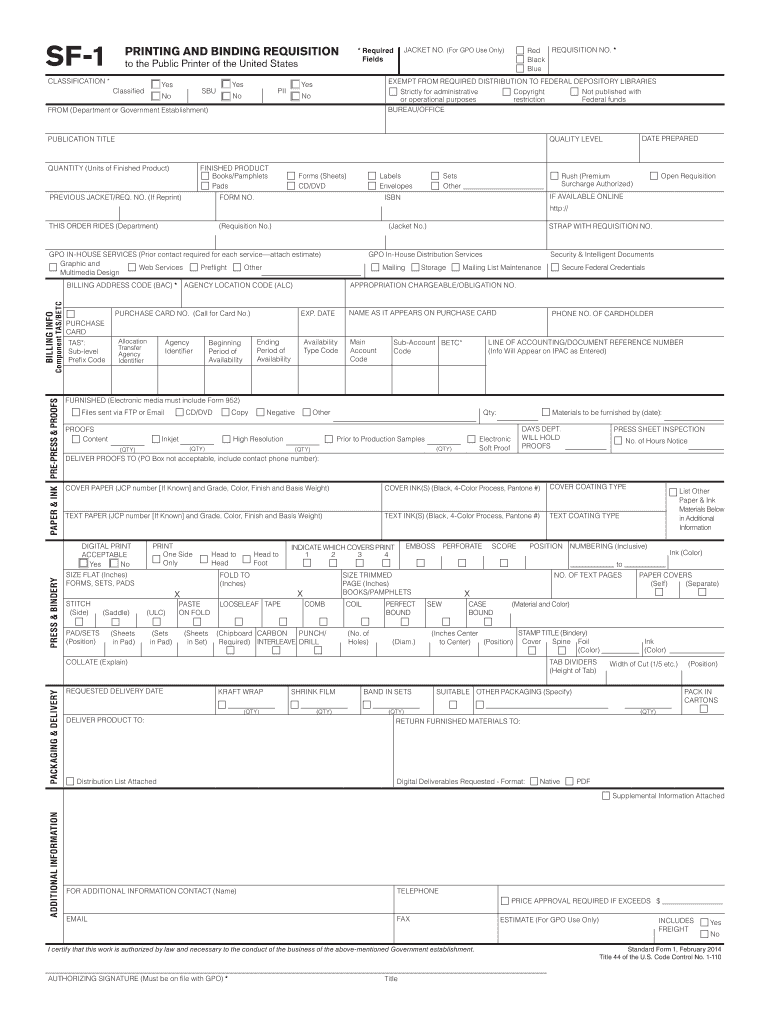
Trative Copyright Not published with or operational purposes restriction Federal funds BUREAU/OFFICE Yes PII No JACKET NO. (For GPO Use Only) * Required Fields to the Public Printer of the United States No FROM (Department or Government Establishment) DATE PREPARED QUALITY LEVEL PUBLICATION TITLE FINISHED PRODUCT Books/Pamphlets Pads QUANTITY (Units of Finished Product) PREVIOUS JACKET/REQ. NO. (If Reprint) Forms (Sheets) CD/DVD Labels Envelopes FORM NO. Sets Other Open Requis.
Loading

Open form follow the instructions

Easily sign the form with your finger

Send filled & signed form or save
How to fill out the GPO SF-1 online
This guide provides a comprehensive overview of the GPO SF-1, which is used for printing and binding requisitions. Users will find step-by-step instructions on how to accurately complete each section of the form online.
Follow the steps to successfully complete your GPO SF-1 requisition.
- Click the 'Get Form' button to access the GPO SF-1 form and open it in your online editor.
- Begin by filling out the classification section, indicating if the request is classified, sensitive but unclassified (SBU), or not classified at all. Choose appropriate colors for your requisition if applicable.
- Enter your requisition number in the designated field. Remember, this number is essential for tracking your request.
- Provide the necessary details regarding your department or government establishment in the 'FROM' section, as well as the date prepared.
- Specify the quality level desired for the finished product and clearly indicate the publication title.
- Fill in the details for the finished product, including the type (books, pamphlets, forms, etc.) and the quantity you wish to order.
- If your order is a reprint, include the previous jacket or requisition number for reference. Otherwise, leave it blank.
- Complete any relevant billing information, including your purchase card details if applicable. Ensure that the cardholder's name is exactly as it appears on the card, along with the expiration date.
- Review the sections for proofs and any additional materials that need to be furnished, making sure to include all relevant details, such as formats and specifications.
- Check all fields for accuracy and completeness. Once you've verified that everything is correct, you have the option to save your changes, download, print, or share the completed form.
Complete your GPO SF-1 document online today!
Experience a faster way to fill out and sign forms on the web. Access the most extensive library of templates available.
Related content
PRINTING AND BINDING REQUISITION. SF-1 to the Public Printer of the United States. *...
Page 1. 1. CUSTOMER. Agency/Department . ... the electronic media, visuals, negatives...
1 Mtl. 5 ..456-000. CONV. NUT HEX #10-24. 4.00. 4.00 EA. EA. 1 Mtl. 10 ..458-000 ... CONV...
Use professional pre-built templates to fill in and sign documents online faster. Get access to thousands of forms.
If you believe that this page should be taken down, please follow our DMCA take down process here.