Loading
Get Safety Data Sheet - Lab Unlimited
How it works
-

Open form follow the instructions
-

Easily sign the form with your finger
-

Send filled & signed form or save
How to fill out the Safety Data Sheet - Lab Unlimited online
This guide provides comprehensive instructions on how to effectively fill out the Safety Data Sheet - Lab Unlimited. Understanding each section of the form ensures accurate and safe handling of substances used in professional environments.
Follow the steps to complete the form accurately.
- Press the ‘Get Form’ button to access the Safety Data Sheet and open it in your preferred online document editor.
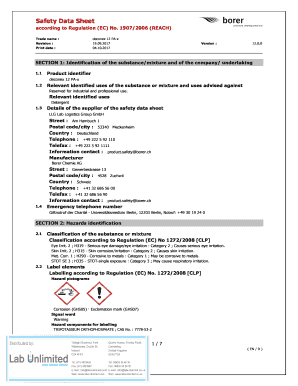
- Begin with Section 1, where you will enter the product identifier, which in this case is 'deconex 12 PA-x'. Also, provide details about relevant identified uses and the supplier's information, including their contact details.
- Move to Section 2, which is the hazards identification. Here you will classify the substance according to the regulations and include the appropriate label elements, hazard statements, and precautionary statements.
- In Section 3, provide information about the composition and hazardous ingredients of the mixture. Include weight fractions and classifications per the detailed content.
- Proceed to Section 4 for first aid measures. Document general precautions and specific actions for inhalation, skin contact, eye contact, and ingestion.
- Continue to Section 5, concerning firefighting measures. Indicate suitable extinguishing media and outline any special hazards that may arise during a fire.
- In Section 6, describe accidental release measures, including personal safety precautions, environmental protections, and methodology for containment and cleanup.
- Section 7 requires you to detail handling and storage recommendations. Make sure to include precautions for safe handling and the conditions necessary for safe storage.
- In Section 8, include information on exposure controls and personal protection. Specify control parameters and required personal protective equipment.
- Navigate to Section 9 to document physical and chemical properties of the substance, ensuring transparency about its appearance and safety-related data.
- For Section 10, address stability and reactivity. Enter information regarding reactivity, stability, and any conditions to avoid.
- Proceed to the remaining sections, ensuring you complete all relevant sections about toxicological information, ecological information, disposal considerations, transport information, and any regulatory information.
- Finally, review the completed form for accuracy. Once all sections are filled, save the changes, and download, print, or share the form as necessary.
Complete your Safety Data Sheet online to ensure compliance and safety in your professional handling of substances.
To obtain SDS, get them from the manufacturer. They may be sent with the chemical order (paper copy or e-mail attachment). Otherwise, go to the manufacturer's website and download it or request a copy.
Industry-leading security and compliance
US Legal Forms protects your data by complying with industry-specific security standards.
-
In businnes since 199725+ years providing professional legal documents.
-
Accredited businessGuarantees that a business meets BBB accreditation standards in the US and Canada.
-
Secured by BraintreeValidated Level 1 PCI DSS compliant payment gateway that accepts most major credit and debit card brands from across the globe.