Loading
Get Cd 498
How it works
-

Open form follow the instructions
-

Easily sign the form with your finger
-

Send filled & signed form or save
How to fill out the Cd 498 online
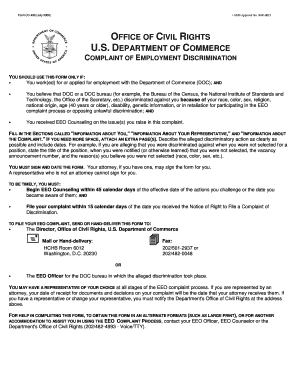
This guide provides detailed instructions on how to effectively fill out Form Cd 498 for filing a complaint of employment discrimination with the U.S. Department of Commerce. By following these steps, users can ensure they complete the form accurately and efficiently.
Follow the steps to complete the Form Cd 498 online.
- Press the ‘Get Form’ button to retrieve the form and open it in your digital workspace.
- Begin filling out the section titled 'Information About You.' Here, provide your full name, optional social security number, address, home and work phone numbers, and email addresses.
- Proceed to the 'Information About Your Representative' section, if applicable. Enter the representative's name, address, phone number, fax, email, and indicate whether they are an attorney.
- In the 'Information About the Complaint' section, specify the DOC bureau where the alleged discrimination occurred. Include your position title and details about your workplace if you were employed at the time of the discrimination.
- Clearly describe the actions or policies you believe were discriminatory, including specific dates and details about the incidents. If more space is needed, attach additional pages.
- Identify the reasons for the alleged discrimination by checking the appropriate boxes and providing specific details for each reason checked.
- Outline the remedies you are seeking for the alleged discrimination. Attach extra pages if necessary.
- Indicate whether you have discussed the issues with an EEO Counselor and provide their name. Also, specify if you filed a grievance or MSPB appeal, including dates.
- Finally, sign and date the form. If you have an attorney, they may sign on your behalf; however, a non-attorney representative cannot sign the form.
- Once you have completed the form, you can choose to save the changes, download a copy, print, or share the form as needed.
Complete and submit your documents online today to ensure your rights are protected.