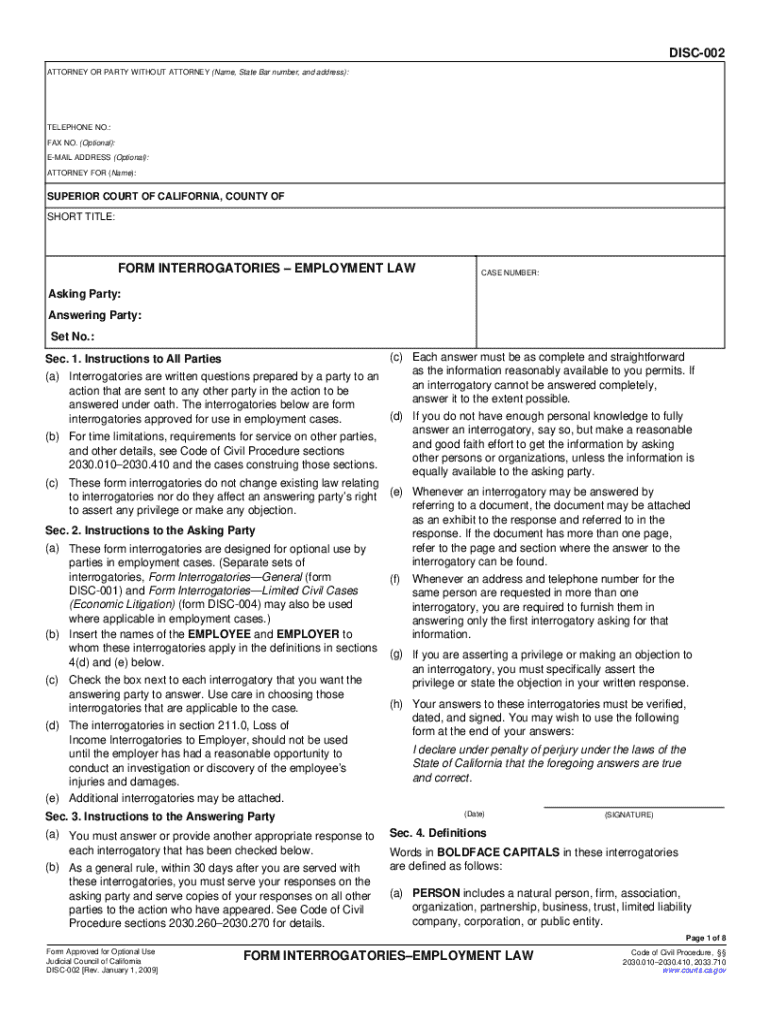
COUNTY OF SHORT TITLE: FORM INTERROGATORIES EMPLOYMENT LAW CASE NUMBER: Asking Party: Answering Party: Set No.: (c) Each answer must be as complete and straightforward as the information reasonably available to you permits. If (a) Interrogatories are written questions prepared by a party to an an interrogatory cannot be answered completely, action that are sent to any other party in the action to be answer it to the extent possible. answered under oath. The interrogatories below are form.
Loading

Open form follow the instructions

Easily sign the form with your finger

Send filled & signed form or save
How to fill out and sign CA DISC-002 online?
Get your online template and fill it in using progressive features. Enjoy smart fillable fields and interactivity.Follow the simple instructions below:
The preparation of lawful paperwork can be costly and time-ingesting. However, with our preconfigured online templates, things get simpler. Now, creating a CA DISC-002 takes a maximum of 5 minutes. Our state-specific web-based samples and complete guidelines remove human-prone mistakes.
Adhere to our easy steps to have your CA DISC-002 ready quickly:
- Select the template in the catalogue.
- Type all necessary information in the required fillable areas. The intuitive drag&drop user interface makes it simple to include or move areas.
- Make sure everything is completed correctly, without typos or missing blocks.
- Use your electronic signature to the page.
- Click on Done to confirm the adjustments.
- Save the data file or print out your PDF version.
- Distribute immediately towards the recipient.
Take advantage of the quick search and innovative cloud editor to create a correct CA DISC-002. Remove the routine and create paperwork online!
Tips on how to fill out, edit and sign CA DISC-002 online
How to fill and sign CA DISC-002
Get your online template and fill it in using progressive features. Enjoy smart fillable fields and interactivity.Follow the simple instructions below:
The preparation of lawful paperwork can be costly and time-ingesting. However, with our preconfigured online templates, things get simpler. Now, creating a CA DISC-002 takes a maximum of 5 minutes. Our state-specific web-based samples and complete guidelines remove human-prone mistakes.
Adhere to our easy steps to have your CA DISC-002 ready quickly:
- Select the template in the catalogue.
- Type all necessary information in the required fillable areas. The intuitive drag&drop user interface makes it simple to include or move areas.
- Make sure everything is completed correctly, without typos or missing blocks.
- Use your electronic signature to the page.
- Click on Done to confirm the adjustments.
- Save the data file or print out your PDF version.
- Distribute immediately towards the recipient.
Take advantage of the quick search and innovative cloud editor to create a correct CA DISC-002. Remove the routine and create paperwork online!
How to edit CA DISC-002
Put the right document management capabilities at your fingertips. Execute CA DISC-002 with our reliable solution that combines editing and eSignature functionality}.
If you want to execute and sign CA DISC-002 online without hassle, then our online cloud-based solution is the way to go. We offer a wealthy template-based library of ready-to-use paperwork you can modify and complete online. Furthermore, you don't need to print out the form or use third-party solutions to make it fillable. All the needed features will be readily available at your disposal once you open the document in the editor.
Let’s examine our online editing capabilities and their main features. The editor has a intuitive interface, so it won't take much time to learn how to utilize it. We’ll check out three major parts that allow you to:
- Modify and annotate the template
- Organize your paperwork
- Make them shareable
The top toolbar comes with the features that help you highlight and blackout text, without pictures and image components (lines, arrows and checkmarks etc.), sign, initialize, date the document, and more.
Use the toolbar on the left if you wish to re-order the document or/and remove pages.
If you want to make the template fillable for others and share it, you can use the tools on the right and add different fillable fields, signature and date, text box, etc.).
Aside from the capabilities mentioned above, you can protect your document with a password, add a watermark, convert the document to the required format, and much more.
Our editor makes modifying and certifying the CA DISC-002 a breeze. It allows you to make virtually everything concerning working with forms. Moreover, we always make sure that your experience editing documents is secure and compliant with the main regulatory standards. All these aspects make utilizing our tool even more enjoyable.
Get CA DISC-002, apply the needed edits and tweaks, and download it in the preferred file format. Try it out today!
How to fill and sign CA DISC-002
Get your online template and fill it in using progressive features. Enjoy smart fillable fields and interactivity.Follow the simple instructions below:
The preparation of lawful paperwork can be costly and time-ingesting. However, with our preconfigured online templates, things get simpler. Now, creating a CA DISC-002 takes a maximum of 5 minutes. Our state-specific web-based samples and complete guidelines remove human-prone mistakes.
Adhere to our easy steps to have your CA DISC-002 ready quickly:
- Select the template in the catalogue.
- Type all necessary information in the required fillable areas. The intuitive drag&drop user interface makes it simple to include or move areas.
- Make sure everything is completed correctly, without typos or missing blocks.
- Use your electronic signature to the page.
- Click on Done to confirm the adjustments.
- Save the data file or print out your PDF version.
- Distribute immediately towards the recipient.
Take advantage of the quick search and innovative cloud editor to create a correct CA DISC-002. Remove the routine and create paperwork online!
Experience a faster way to fill out and sign forms on the web. Access the most extensive library of templates available.
Related content
Form Interrogatories—Employment Law (DISC-002). Tell the other side to answer common...
CA-C002: Prospective, Concurrently Controlled, Multi-Center Study to Evaluate the Safety...
May 4, 2006 — - DISC (Disco): Seleciona capítulo/título/ pasta/faixa. *2 Estas teclas...
Get answers to your most pressing questions about US Legal Forms API.
How to answer form interrogatories in California?
To answer form interrogatories in California, begin by reviewing the standard forms provided by the court. Make sure your answers are precise and adhere to the requirements outlined in CA DISC-002. It’s important to double-check your responses for consistency and completeness. If needed, USLegalForms can offer customized solutions to help you respond effectively.
What is the best way to answer interrogatories?
The best way to answer interrogatories is to ensure clarity and accuracy. Take the time to fully understand each question before formulating a response. Always refer to CA DISC-002 for guidance on how to structure your answers appropriately. Using the resources on USLegalForms can also provide valuable insights and templates to assist you.
How to answer discovery questions?
When answering discovery questions, focus on providing truthful, relevant, and concise answers to each inquiry. Refer back to your documents and evidence to ensure your responses are accurate. Familiarizing yourself with CA DISC-002 will assist in formulating proper responses that meet legal standards. You may find templates on USLegalForms that help structure your answers.
How to fill out interrogatories?
To fill out interrogatories, carefully read each question and respond truthfully and fully. Ensure that your answers are complete, clear, and consistent with the information you have. Utilizing the guidance from CA DISC-002 can help you navigate the requirements. If you need assistance, consider using USLegalForms, which offers resources for accurate completion.
What kind of questions are asked in interrogatories?
Interrogatories typically include questions that seek factual information related to the case. These can range from basic information about parties involved to specific details regarding events or actions. They aim to clarify the issues at stake, helping both sides prepare for trial. Understanding the nuances of CA DISC-002 can improve your approach to these inquiries.
How to not answer interrogatories?
You may choose not to answer interrogatories by citing specific legal grounds, such as attorney-client privilege or relevance. However, it is essential to provide a clear explanation for your non-response to avoid penalties. Use CA DISC-002 guidelines to protect your rights effectively. Consulting with a legal professional can also clarify your options.
How to write a discovery for court?
To write a discovery for court, start by clearly stating the purpose and relevance of the information requested. Use simple language and direct questions that elicit necessary details. It’s crucial to refer to the guidelines outlined in CA DISC-002 to ensure compliance. Consider utilizing the USLegalForms platform to access templates that can simplify your discovery drafting process.
What are the disadvantages of interrogatories?
Interrogatories can have several disadvantages, particularly in their complexity. They may require extensive legal knowledge to craft effective responses, which can overwhelm parties not familiar with legal processes. Additionally, interrogatories can be time-consuming, often leading to delays in the discovery phase. Understanding CA DISC-002 can help streamline this process.
How many requests for admission are there in California?
In California, the number of requests for admission is not specifically limited, but you should ensure that they are reasonable in scope. The requests should relate directly to the case and be designed to simplify the issues for trial. The CA DISC-002 provides a framework for what can be included, so it is vital to approach this thoughtfully to avoid unnecessary complications.
Do interrogatories need to be served?
Yes, interrogatories must be served to the opposing party as part of the discovery process in California. Serving these questions, like those on the CA DISC-002 form, is essential to ensure that both parties can gather and exchange crucial information relevant to the case. An effective way to manage this process is by utilizing the US Legal Forms platform for guidance and templates.
Use professional pre-built templates to fill in and sign documents online faster. Get access to thousands of forms.
If you believe that this page should be taken down, please follow our DMCA take down process here.