Loading
Get Law Form No. 750s-1 2009-2026
How it works
-

Open form follow the instructions
-

Easily sign the form with your finger
-

Send filled & signed form or save
How to fill out the LAW Form No. 750S-1 online
This guide provides a clear and user-friendly approach to completing the LAW Form No. 750S-1 online. Whether you are applying for individual or joint credit, following these steps will ensure you provide all necessary information accurately.
Follow the steps to effectively complete the LAW Form No. 750S-1 online.
- Click ‘Get Form’ button to obtain the form and open it in the editor.
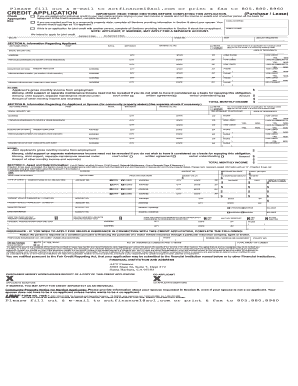
- Review the instruction section carefully to understand the requirements based on your situation. If applying for individual credit, complete Sections A and C; if married in a community property state, complete Section B as well.
- In Section A, provide your personal information. Enter your last name, first name, initial, date, stock number, marital status, driver’s license number, birthdate, amount requested, ages of dependents, social security number, address, and contact information.
- If you are applying for credit jointly, proceed to Section B. Here, provide similar information for your co-applicant or spouse, including their personal details, relationship to you, occupation, and income. Ensure all applicable fields are filled.
- Complete Section C by listing all debts and financial obligations, including housing information, income details, and banking references. Mark applicant-related information appropriately, using 'A' for your details.
- Double-check each section to confirm the accuracy of the information. Make sure all applicable fields are filled out thoughtfully to avoid any delays or complications in the credit assessment process.
- Once all sections are complete, review the information one last time, then save the changes. You can choose to download, print, or share the completed form as needed.
Complete your LAW Form No. 750S-1 online today for a smooth application process.