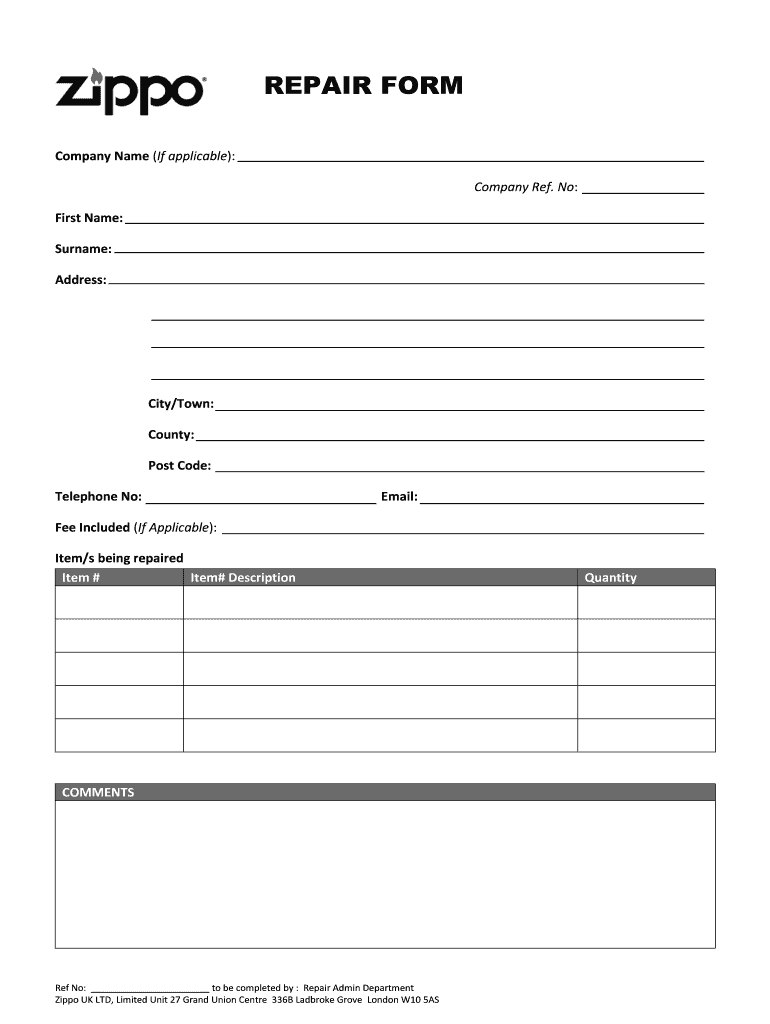
Tem # Item# Description COMMENTS Ref No: _______________________ to be completed by : Repair Admin Department Zippo UK LTD, Limited Unit 27 Grand Union Centre 336B Ladbroke Grove London W10 5AS Quantity .
Loading

Open form follow the instructions

Easily sign the form with your finger

Send filled & signed form or save
How to fill out the Zippo Repair Form online
Filling out the Zippo Repair Form online is a straightforward process that ensures your repair request is submitted efficiently. This guide provides detailed instructions to help users navigate each section of the form effortlessly.
Follow the steps to complete the Zippo Repair Form accurately.
- Click ‘Get Form’ button to access the document and open it for completion.
- Begin by entering the company name if applicable, followed by the company reference number. These fields help identify the repair request and provide relevant information.
- Fill in your first name and surname in the designated fields. This information is essential for identifying who is submitting the repair request.
- Provide your complete address, including the city or town, county, and postcode. Accurate address details ensure proper communication regarding your repair status.
- Enter your telephone number and email address. These contact details are vital for any inquiries or updates related to your repair.
- If applicable, indicate the repair fee in the corresponding field. This clarifies any charges associated with the repair process.
- List the items you are sending in for repair. For each item, enter its number and a brief description to assist the repair department in processing your request accurately.
- Use the comments section to provide any additional information or special instructions regarding the repair.
- The reference number section will be filled out by the Repair Admin Department once your form is processed.
- Once you have completed all sections, save your changes to the form. You may also download, print, or share the completed form as needed.
Take the next step to ensure your Zippo is repaired by completing the form online today.
Experience a faster way to fill out and sign forms on the web. Access the most extensive library of templates available.
Related content
Apr 25, 2006 — This final rule amends requirements applicable to the transportation of...
The burner nozzle is the component through which the fuel is expelled and ignited. Its...
Jun 21, 2025 — This refers to a service that fixes problems, such as breakdowns or...
Get answers to your most pressing questions about US Legal Forms API.
Do Zippo lighters still have a lifetime guarantee?
Indeed, Zippo lighters come with a lifetime guarantee, ensuring that they will continue to function for many years. This guarantee covers any manufacturing defects, offering peace of mind as you enjoy your lighter. To take advantage of this guarantee, simply complete the Zippo Repair Form, and Zippo will take care of the rest. You can trust in the quality and durability of Zippo products.
Does Zippo still have a lifetime warranty?
Yes, Zippo still offers a lifetime warranty on their lighters, which promises to repair any Zippo product that fails due to defects in materials or workmanship. You can easily submit a request using the Zippo Repair Form for a smooth and straightforward process. This warranty demonstrates Zippo's confidence in their products and their commitment to customer satisfaction. Rest assured, your investment is protected.
How to fix a Zippo that won't spark?
If your Zippo lighter won't spark, the first step is to check the flint. Replacing the flint is often the solution, and you can do this using a Zippo Repair Form to guide you through the necessary steps. Make sure the lighter has enough fuel, as a lack of fuel can prevent sparking. Additionally, inspect the wick; it might need replacement if it's too worn.
How do you fill a Zippo insert?
Filling a Zippo insert involves removing it from the lighter's case. Use the same method as you would for the fuel canister, ensuring you direct the nozzle to the filling pad. After filling, let the insert sit for a moment before reassembling. If you're uncertain or have further questions, consider utilizing the Zippo Repair Form for additional support.
How do you fill a Zippo fuel canister?
To fill a Zippo fuel canister, first, remove the insert from the case. Hold the canister upright and position the nozzle over the filling pad. Press down firmly to allow fuel to flow in, ensuring not to overfill. If you encounter issues, visit the Zippo Repair Form for guidance on proper refilling techniques.
What to do if Zippo wick won't light?
If your Zippo wick won't light, first inspect the flint and fuel levels. Ensure the wick is in good condition and properly positioned. If these basic checks do not resolve the issue, using the Zippo Repair Form can connect you with experienced technicians who can diagnose and fix the problem.
How do you fix a Zippo lighter wick?
To fix a Zippo lighter wick, start by removing the lighter from its case. Gently pull the wick upward to expose a fresh part if it is frayed. If necessary, replace the wick altogether for optimal performance. For comprehensive guidance, you may fill out the Zippo Repair Form for expert help.
How do I know if my Zippo wick is bad?
A bad Zippo wick may show signs of fraying or discoloration. If your lighter struggles to ignite consistently, that can also indicate a problem with the wick. Regular maintenance can help you spot these issues before they escalate. If you suspect your wick is bad, you can use the Zippo Repair Form to seek assistance.
Why is my Zippo wick not lighting?
If your Zippo wick is not lighting, it may be due to a weak spark or low fuel levels. Check the fuel level in your lighter to ensure it is adequately filled. Additionally, inspect the wick for signs of wear or damage. If needed, consider using the Zippo Repair Form to facilitate a professional repair.
Will Zippo replace a broken lighter?
Yes, Zippo has a commitment to customer satisfaction and often replaces lighters that cannot be repaired. When you submit your Zippo Repair Form, indicate the issue you're facing. Zippo's customer service will evaluate your situation and determine if a replacement is the best solution for you. This ensures you receive a working lighter, keeping your experience positive.
Use professional pre-built templates to fill in and sign documents online faster. Get access to thousands of forms.
If you believe that this page should be taken down, please follow our DMCA take down process here.