Loading
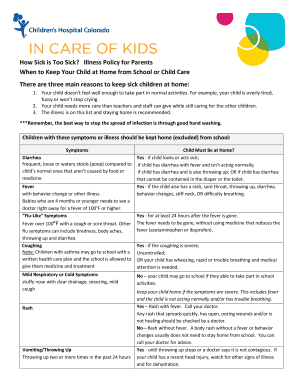
Get Illness Policy For Parents
How it works
-

Open form follow the instructions
-

Easily sign the form with your finger
-

Send filled & signed form or save
How to fill out the Illness Policy For Parents online
Filling out the Illness Policy For Parents form online is an essential step for parents to ensure proper health management for their children. This guide provides clear instructions to help you complete the form accurately and efficiently.
Follow the steps to fill out the Illness Policy For Parents form.
- Click ‘Get Form’ button to access the Illness Policy For Parents form and open it for editing.
- Begin by entering your child's full name in the designated field. Accurate information is crucial for clarity.
- Fill in your child's date of birth. This helps the school identify your child and their specific needs.
- In the 'Parent/Guardian Information' section, provide your name, contact number, and email address. Ensure that all details are correct for easy communication.
- Review the list of symptoms and illnesses that require your child to stay home. Check the appropriate boxes that apply to your child's symptoms in the specified section.
- Sign and date the form in the designated areas to certify that the information provided is accurate and complete.
- Once all fields are filled out, you can save the changes, download, print, or share the completed form as needed.
Complete your Illness Policy For Parents form online today for a healthier school year.
F Keep your child home until there is no fever without using medicines for 24 hours. vomiting and diarrhea Keep your child home until there is no fever without using medicines for 24 hours and symptoms subside. This is usually for 5 to 7 days.