Loading
Form preview
  • US Legal Forms
  • Form Library
  • More Forms
  • More Uncategorized Forms
  • Bc-170d Census Employment Inquiry - Censusgov

Get Bc-170d Census Employment Inquiry - Censusgov

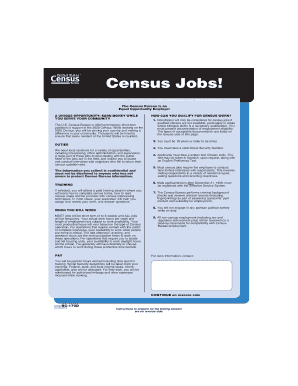
Census Jobs! U.S. DEPARTMENT OF COMMERCE Economics and Statistics Administration U.S. CENSUS BUREAU The Census Bureau is an Equal Opportunity Employer A UNIQUE OPPORTUNITY: EARN MONEY WHILE YOU SERVE.

How it works

  1. Open form

    Open form follow the instructions

  2. Easily sign form

    Easily sign the form with your finger

  3. Share form

    Send filled & signed form or save

How to fill out the BC-170D Census Employment Inquiry - Censusgov online

Filling out the BC-170D Census Employment Inquiry form is an essential step for individuals interested in temporary employment with the U.S. Census Bureau. This guide provides clear, step-by-step instructions to help you navigate the form efficiently and accurately.

Follow the steps to complete the census employment inquiry form successfully.

  1. Press the ‘Get Form’ button to access the BC-170D form online and open it in the editor.
  2. Carefully read the instructions provided on each page of the form. Ensure all your responses are complete and accurate to prevent delays in processing your application.
  3. In Section A, enter your personal data, including your full name, address, and Social Security Number. Be sure to print clearly using uppercase letters.
  4. Indicate whether you are a U.S. citizen and provide information about your date and place of birth, ensuring you mark the correct boxes.
  5. Provide your contact information, including telephone numbers, and indicate the best times to reach you.
  6. In Section C, respond to questions regarding your willingness to work in various capacities, both in the office and in the field. Mark your responses clearly.
  7. Complete Section D regarding language skills and any relevant transportation details if you are applying for field positions.
  8. Answer all questions in Section F truthfully, especially those pertaining to your background and employment history. Ensure all explanations in Item 32 are complete if required.
  9. Finalize by reviewing all entered information for accuracy. Use the save feature to keep your work, and consider downloading or printing a copy of the completed form for your records.
  10. Submit the form as instructed after reviewing all sections and ensuring all fields are filled out as required.

Complete your BC-170D Census Employment Inquiry form online today to take the first step towards serving your community!

Get form

Experience a faster way to fill out and sign forms on the web. Access the most extensive library of templates available.
Get form

Related content

BC-170D, Census Employment Inquiry - Columbia, IL
Apr 25, 2016 — Paperwork@census.gov; use "Paperwork Project 0607-0139" ... How do I...
Learn more
July 12, 2012 2010 CENSUS PLANNING MEMORANDA ...
kevin.e.deardorff@census.gov. July 12, 2012 ... On-line check inquiry system for D-308...
Learn more

Related links form

In The Circuit Court Of Cook County, Illinois County - Mudd Law 2020 Rebt Self Help Form Pdf 2020 Leica Abbe Mark II Refractometer 2020 Tempus Unlimited Timesheets 2020

Questions & Answers

Get answers to your most pressing questions about US Legal Forms API.

Contact support

Yes, working for the Census Bureau is a federal job, but it does not violate the dual employment statute (5 USC 5533) that prevents federal employees from working for 2 federal agencies.

To independently verify that a number is from the Census Bureau, you can call one of the following numbers: 1-800-523-3205, Jeffersonville, IN. 1-800-642-0469, Tucson, AZ. 1-800-923-8282, Customer Service Center.

The online census form is quick and easy to fill out. It takes about ten minutes per household plus ten minutes for each person.

Census Enumerator responsibilities include talking with citizens at their homes, asking questions about an individual's demographic and economic status, and submitting data to help build comprehensive records for lawmakers.

You can also call the local Census Contact Centre and someone will complete the form with you over the phone.

To verify that someone who has texted you is a Census Bureau field representative, you can enter their name in the Census Bureau Staff Search, a database that lists name and contact information for all Census Bureau employees. You can also contact your local Regional Office.

If your address was selected to participate in one of these surveys, we may call you to participate. Some surveys are done exclusively by phone. We might also call you if we do not find you at home or when a personal visit is not convenient.

The Census Bureau conducts over 100 surveys in addition to the decennial census count. If your address was selected to participate in one of these surveys, we may call you to participate. Some surveys are done exclusively by phone.

Get This Form Now!

Use professional pre-built templates to fill in and sign documents online faster. Get access to thousands of forms.
Get form
If you believe that this page should be taken down, please follow our DMCA take down processhere.

Industry-leading security and compliance

US Legal Forms protects your data by complying with industry-specific security standards.
  • In businnes since 1997
    25+ years providing professional legal documents.
  • Accredited business
    Guarantees that a business meets BBB accreditation standards in the US and Canada.
  • Secured by Braintree
    Validated Level 1 PCI DSS compliant payment gateway that accepts most major credit and debit card brands from across the globe.
Get BC-170D Census Employment Inquiry - Censusgov
Get form
  • Adoption
  • Bankruptcy
  • Contractors
  • Divorce
  • Home Sales
  • Employment
  • Identity Theft
  • Incorporation
  • Landlord Tenant
  • Living Trust
  • Name Change
  • Personal Planning
  • Small Business
  • Wills & Estates
  • Packages A-Z
  • Affidavits
  • Bankruptcy
  • Bill of Sale
  • Corporate - LLC
  • Divorce
  • Employment
  • Identity Theft
  • Internet Technology
  • Landlord Tenant
  • Living Wills
  • Name Change
  • Power of Attorney
  • Real Estate
  • Small Estates
  • Wills
  • All Forms
  • Forms A-Z
  • Form Library
  • Legal Hub
  • About Us
  • Help Portal
  • Legal Resources
  • Blog
  • Affiliates
  • Contact Us
  • Delete My Account
  • Site Map
  • Industries
  • Forms in Spanish
  • Localized Forms
  • State-specific Forms
  • Forms Kit
  • Real Estate Handbook
  • All Guides
  • Notarize
  • Incorporation services
  • For Consumers
  • For Small Business
  • For Attorneys
  • USLegal
  • FormsPass
  • pdfFiller
  • signNow
  • altaFlow
  • DocHub
  • Instapage
Form Packages
  • Adoption
  • Bankruptcy
  • Contractors
  • Divorce
  • Home Sales
  • Employment
  • Identity Theft
  • Incorporation
  • Landlord Tenant
  • Living Trust
  • Name Change
  • Personal Planning
  • Small Business
  • Wills & Estates
  • Packages A-Z
Form Categories
  • Affidavits
  • Bankruptcy
  • Bill of Sale
  • Corporate - LLC
  • Divorce
  • Employment
  • Identity Theft
  • Internet Technology
  • Landlord Tenant
  • Living Wills
  • Name Change
  • Power of Attorney
  • Real Estate
  • Small Estates
  • Wills
  • All Forms
  • Forms A-Z
  • Form Library
Customer Service
  • Legal Hub
  • About Us
  • Help Portal
  • Legal Resources
  • Blog
  • Affiliates
  • Contact Us
  • Delete My Account
  • Site Map
  • Industries
  • Forms in Spanish
  • Localized Forms
  • State-specific Forms
  • Forms Kit
Legal Guides
  • Real Estate Handbook
  • All Guides
Prepared for you
  • Notarize
  • Incorporation services
Our Customers
  • For Consumers
  • For Small Business
  • For Attorneys
Our Sites
  • USLegal
  • FormsPass
  • pdfFiller
  • signNow
  • altaFlow
  • DocHub
  • Instapage
Social Media
Call us now toll free:
+1 833 426 79 33
As seen in:
© Copyright 1999-2026 airSlate Legal Forms, Inc. 3720 Flowood Dr, Flowood, Mississippi 39232
  • Your Privacy Choices
  • Terms of Service
  • Privacy Notice
  • Content Takedown Policy
  • Bug Bounty Program