Loading
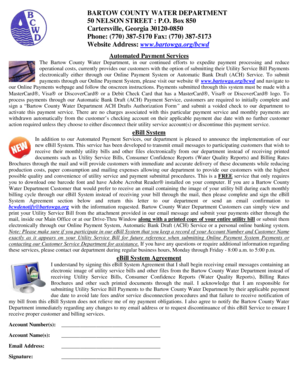
Get Bartow County Water Department
How it works
-

Open form follow the instructions
-

Easily sign the form with your finger
-

Send filled & signed form or save
How to fill out the Bartow County Water Department form online
Filling out the Bartow County Water Department form online can simplify your utility service payment and notification process. This guide will provide you with clear, step-by-step instructions to ensure that you complete the form accurately and effectively.
Follow the steps to successfully complete the Bartow County Water Department form.
- Click the ‘Get Form’ button to acquire the form and access it in your preferred editing environment.
- Begin by locating the eBill System Agreement section within the form. Here, you will be asked to provide your Account Number and Account Name as they appear on your Utility Service Bill.
- Input your Email Address in the designated field. Make sure to double-check for accuracy to ensure proper delivery of your electronic bills.
- Review the agreement statement carefully. This outlines your responsibilities regarding payment and notifications related to your utility service.
- Affirm your participation in the eBill System by providing your signature in the specified field at the bottom of the agreement.
- After filling out the form completely, ensure that all information is accurate and finalized. Save your changes, download a copy for your records, or print the completed form as necessary.
- You may need to submit the form via email to bcwdenotify@bartowga.org or return it directly to the Bartow County Water Department by mail or in person.
Complete your Bartow County Water Department form online today to streamline your utility service management.