Loading
Get Canada Imm 5645e 2010
How it works
-

Open form follow the instructions
-

Easily sign the form with your finger
-

Send filled & signed form or save
How to fill out the Canada IMM 5645E online
This guide provides clear and comprehensive instructions for filling out the Canada IMM 5645E form online. Designed for users with varying levels of experience, this document ensures you have the necessary steps to accurately complete your application.
Follow the steps to successfully complete the form.
- Click ‘Get Form’ button to obtain the form and open it in your preferred editor.
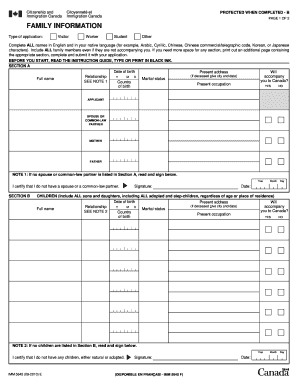
- In Section A, enter your date of birth, present address, full name, and marital status. Also specify if your spouse or common-law partner will accompany you to Canada. If applicable, provide details about their country of birth and present occupation.
- If there is no spouse or common-law partner, read the statement provided and sign to certify that you do not have one.
- In Section B, list all children, including adopted and stepchildren. Fill in their date of birth, present address, full name, marital status, country of birth, and present occupation. Indicate if they will accompany you to Canada.
- If you do not have any children, read the statement provided and sign to certify that you do not have any.
- In Section C, include all siblings, half-siblings, and step-siblings. Enter their date of birth, present address, full name, relationship, marital status, country of birth, and present occupation. Again, indicate if they will accompany you to Canada.
- In Section D, certify that the information provided is complete and accurate by signing and dating the certification.
- Once all sections are completed, save your changes. You can then download, print, or share the form as needed.
Start filling out your Canada IMM 5645E form online today!
Get form
Experience a faster way to fill out and sign forms on the web. Access the most extensive library of templates available.
Yes, the Canada IMM 5645E form is mandatory for individuals returning to Canada. It is a key document that provides essential information for border security. Failing to fill out this form can delay your entry process or result in complications with your return.
Get This Form Now!
Use professional pre-built templates to fill in and sign documents online faster. Get access to thousands of forms.