Loading
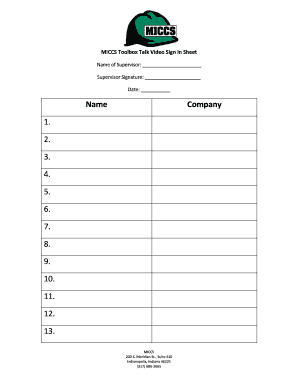
Get Toolbox Talk Sign In Sheet
How it works
-

Open form follow the instructions
-

Easily sign the form with your finger
-

Send filled & signed form or save
How to fill out the Toolbox Talk Sign In Sheet online
Filling out the Toolbox Talk Sign In Sheet online helps streamline the process of recording attendance during meetings and training sessions. This guide provides clear, step-by-step instructions to assist users in completing each section of the form effectively.
Follow the steps to complete your sign in sheet online.
- Press the ‘Get Form’ button to access the online Toolbox Talk Sign In Sheet. This action will open the form for you to fill out.
- Begin by entering the 'Name of Supervisor' in the designated field. This should be the name of the individual leading the session.
- In the next field, provide the 'Supervisor Signature.' This can often be entered electronically by typing the supervisor's name or drawing their signature using available tools.
- Fill in the 'Date' field to indicate when the Toolbox Talk took place. Ensure that you use the correct format for the date.
- Proceed to the section labeled 'Name.' In the provided blank spaces, list each participant's name attending the Toolbox Talk, filling in one name per line, up to the maximum number of participants allowed.
- Once all participants' names have been entered, review the form for accuracy. It is important to verify that all information is correct before finalizing.
- When you are satisfied with the information entered, you can choose to save your changes, download a copy of the form, print it for physical records, or share it with other relevant parties.
Start completing your Toolbox Talk Sign In Sheet online today to enhance your documentation processes.
Typically toolbox talks last 10 to 15 minutes, may take place once a week, involving small groups of up to 10 people. They should be in an appropriate tone for the audience providing reminders about specific issues or certain safety procedures or protocols and should be part of a wider training and education programme.