Loading
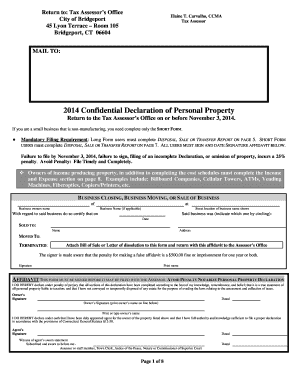
Get 2014 Confidential Declaration Of Personal Property - City Of Bridgeport - Bridgeportct
How it works
-

Open form follow the instructions
-

Easily sign the form with your finger
-

Send filled & signed form or save
How to fill out the 2014 Confidential Declaration Of Personal Property - City Of Bridgeport - Bridgeportct online
This guide provides clear instructions for users on accurately filling out the 2014 Confidential Declaration of Personal Property for the City of Bridgeport online. By following these steps, users can ensure compliance and avoid penalties related to property declaration.
Follow the steps to complete the online form successfully.
- Click the ‘Get Form’ button to obtain the document and open it in an editable format.
- Begin with the Business Data section. Enter the legal name under which the business operates and any relevant DBA (Doing Business As) names. Include the business's street location and contact details such as address, city, state, zip code, and phone number.
- Answer the questionnaire regarding the business's operation in Bridgeport. Indicate if this is the user's first return, the date the business began at the current location, a brief description of the business type, and details about the physical space occupied and number of employees.
- In the Taxable Property Information section, provide actual acquisition costs for personal property, including any additional charges for transportation and installation. Ensure to fill out this information for each type of property and attach additional sheets if required.
- Complete the Lessor’s Listing Report if applicable, declaring leased or borrowed property in possession. This includes confirming whether any leased items were disposed of or acquired within the assessment year.
- Make sure to fill in the Disposal, Sale or Transfer of Property Report if any assets were sold or disposed of in the past year. Complete the necessary reconciliation of fixed assets as described in the form.
- Sign and date the Signature Affidavit section, confirming that all information has been provided truthfully and to the best of the user's knowledge.
- Once all sections are completed, review the form for accuracy. Save changes, download a copy, or print the form as required before submission.
Ensure timely and complete submission of your form online to avoid penalties.
For a Connecticut resident, the tax applies to all property, except for real property and tangible personal property which is located outside Connecticut. For nonresidents, it applies only to real property and tangible personal property located in Connecticut.
Industry-leading security and compliance
US Legal Forms protects your data by complying with industry-specific security standards.
-
In businnes since 199725+ years providing professional legal documents.
-
Accredited businessGuarantees that a business meets BBB accreditation standards in the US and Canada.
-
Secured by BraintreeValidated Level 1 PCI DSS compliant payment gateway that accepts most major credit and debit card brands from across the globe.