Loading
Get Bc Soccer
How it works
-

Open form follow the instructions
-

Easily sign the form with your finger
-

Send filled & signed form or save
How to fill out the Bc Soccer online
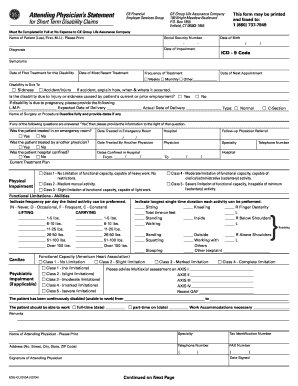
This guide provides users with clear and concise instructions for completing the Bc Soccer form online. Whether you are familiar with online forms or exploring this process for the first time, this guide will assist you in navigating each section effectively.
Follow the steps to fill out the Bc Soccer form online:
- Press the ‘Get Form’ button to access the necessary form and open it in the interface for filling out.
- Begin by entering the patient's name in the designated field, ensuring to format it as Last, First, M.I.
- Input the social security number of the patient in the provided field.
- Fill in the date of birth using the correct format, ensuring accuracy for all date entries.
- Enter the date of impairment to document when the condition began.
- Provide the diagnosis along with the corresponding ICD-9 code.
- Document the symptoms experienced by the patient during this disability.
- Indicate the date of the first treatment received for this disability.
- Record the date of the most recent treatment the patient underwent.
- Specify the frequency of treatment by selecting from the options provided: weekly, monthly, or other.
- Indicate whether the disability is due to sickness or accident/injury and provide additional explanations if necessary.
- If applicable, indicate if the disability is related to the patient's current or prior employment.
- In case of pregnancy-related disability, fill out the required dates and types of delivery.
- Provide details if the patient was treated in an emergency room and include the relevant date.
- Document any treatments by other physicians and the details of hospital confinement if applicable.
- Outline the current treatment plan clearly.
- Indicate the functional limitations and abilities, providing specific details on lifting and carrying weights.
- Complete the psychiatric impairment section if it applies, detailing the functional capacity.
- Fill out the assessment sections clearly and provide remarks about the patient's ability to work.
- After completing all sections, review the form for accuracy, save any changes, and follow instructions to download, print, or share the completed form.
Complete your documents online for efficiency and ease.
Boston College is home to 31 intercollegiate Division I teams, a variety of club sports, 44 intramural sports programs, and courses in aquatics, spin, yoga, and more. That means you have plenty of reasons to cheer and countless opportunities to stay active.