Loading
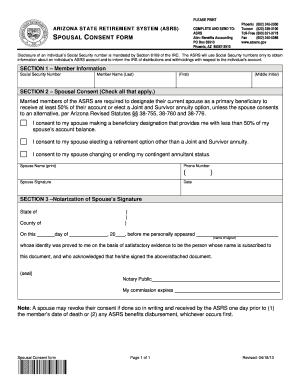
Get 401k Withdrawal With Spousal Consent
How it works
-

Open form follow the instructions
-

Easily sign the form with your finger
-

Send filled & signed form or save
How to fill out the 401k Withdrawal With Spousal Consent online
This guide aims to assist users in completing the 401k Withdrawal With Spousal Consent form online. By following these step-by-step instructions, individuals can ensure that they accurately fill out the required information.
Follow the steps to complete the form online accurately.
- Click ‘Get Form’ button to retrieve the 401k Withdrawal With Spousal Consent form and open it in your preferred editor.
- In Section 1, provide your member information. Fill in your Social Security Number, last name, first name, and middle initial as requested.
- Proceed to Section 2 for spousal consent. Check the applicable boxes to indicate your spouse’s consent regarding their beneficiary designation and retirement options.
- Record your spouse's name legibly. Include their phone number to ensure contact if needed, and secure your spouse’s signature along with the date.
- For Section 3, ensure that the notarization of your spouse's signature is completed. A notary public will validate your spouse's signature as required.
- Once all sections are filled, review the document for accuracy. Save your changes, and decide whether to download, print, or share the completed form as needed.
Begin filling out the 401k Withdrawal With Spousal Consent form online now.
Answer: A Spouse has an interest in your 401k and before that interest is given up -- as with a beneficiary change or withdrawal -- they must agree. Spousal consent rules with respect to qualified plans stem from the Retirement Equity Act of 1984 (REA).