Loading
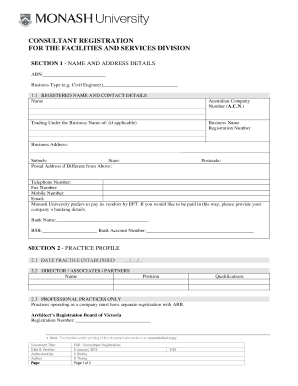
Get Consultant Registration Form - Administration, Monash University - Adm Monash Edu
How it works
-

Open form follow the instructions
-

Easily sign the form with your finger
-

Send filled & signed form or save
How to fill out the Consultant Registration Form - Administration, Monash University - Adm Monash Edu online
Filling out the Consultant Registration Form for Monash University is essential for establishing your status as a consultant in their Facilities and Services Division. This guide provides a clear, step-by-step approach to help you navigate and complete the online form with ease.
Follow the steps to successfully complete the Consultant Registration Form.
- Click ‘Get Form’ button to acquire the Consultant Registration Form for Administration, Monash University and open it in your preferred digital editor.
- In Section 1, provide your name and address details. Fill in your Australian Business Number and indicate your business type. Include your registered name, trading name (if applicable), business address, telephone, fax, mobile numbers, and email. If you prefer to receive payments by electronic funds transfer, include your banking details as well.
- For Section 2, outline your practice profile starting with the date your practice was established. List the names and positions of directors, associates, or partners, along with their qualifications.
- If applicable, provide your Architect’s Registration Board of Victoria registration number in Section 2.3.
- Complete Section 2.4 by providing the names, registration numbers, and expiry dates of any registered building practitioners associated with your practice.
- In Section 2.5, confirm your professional indemnity insurance coverage of not less than $10 million and attach the relevant document.
- In Section 2.6, indicate your public liability insurance coverage meeting the same financial requirement and attach the document.
- Section 2.7 requires you to disclose any associations with other practices. Provide the names and positions of any individuals linked to other businesses.
- In Section 2.8, select the appropriate size of your practice from the options provided.
- Indicate your demonstrated project capacity in terms of budgets from Section 2.9, choosing from the specified ranges.
- Section 3 pertains to your office's computer systems. Fill out the software type and version details in Section 3.1 and indicate the office systems in Section 3.2.
- In Section 4, sign the declaration, filling in your name, position, and date of signing.
- Finally, submit your completed form by post, fax, or email as indicated in the document.
Complete your Consultant Registration Form online today to establish your consultancy with Monash University.
The following information should be obtained in the history: Record the patient's age. If a family history of seizures is noted, determine the clinical epilepsy syndrome of the affected family member. Ask about a history of any previous provoked seizure.
Industry-leading security and compliance
US Legal Forms protects your data by complying with industry-specific security standards.
-
In businnes since 199725+ years providing professional legal documents.
-
Accredited businessGuarantees that a business meets BBB accreditation standards in the US and Canada.
-
Secured by BraintreeValidated Level 1 PCI DSS compliant payment gateway that accepts most major credit and debit card brands from across the globe.