Loading
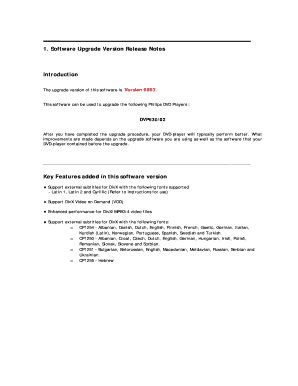
Get Dvd737 Software Upgrade Procedure
How it works
-

Open form follow the instructions
-

Easily sign the form with your finger
-

Send filled & signed form or save
How to fill out the DVD737 software upgrade procedure online
This guide will walk you through the process of completing the DVD737 software upgrade procedure online. By following these instructions, you will be able to ensure that your Philips DVD player's software is upgraded correctly and efficiently.
Follow the steps to successfully complete the upgrade procedure.
- Click the ‘Get Form’ button to acquire the form and open it in your preferred editing tool.
- Begin by reviewing the key features of the software upgrade. This will provide context on improvements that may enhance your DVD player's performance.
- Locate and enter your DVD player's model number. This information is essential for compatibility.
- Record the current software version of your DVD player. This information can be helpful for future reference or customer support.
- Download the upgrade files to your computer by right-clicking the file link and selecting 'Save Target As...'. Extract the files and ensure they are not renamed.
- Prepare a blank CD-R for the upgrade disc by following specific recording settings, including file system and write speed.
- Insert the prepared upgrade disc into your DVD player and follow the on-screen instructions to complete the upgrade procedure.
- After the upgrade is complete, confirm the software version to ensure the process was successful. If there are issues, seek assistance from the Philips Care Center.
- Once you have filled out all required fields and confirmed the information, you can save changes, download, print, or share the completed form.
Complete your DVD737 software upgrade procedure online to enhance your DVD player's performance today!
Industry-leading security and compliance
US Legal Forms protects your data by complying with industry-specific security standards.
-
In businnes since 199725+ years providing professional legal documents.
-
Accredited businessGuarantees that a business meets BBB accreditation standards in the US and Canada.
-
Secured by BraintreeValidated Level 1 PCI DSS compliant payment gateway that accepts most major credit and debit card brands from across the globe.