Loading
Get Extraction Paul Duke
How it works
-

Open form follow the instructions
-

Easily sign the form with your finger
-

Send filled & signed form or save
How to fill out the Extraction Paul Duke online
This guide provides a clear, step-by-step process for completing the Extraction Paul Duke form online. By following these instructions, users can efficiently navigate the form and ensure accurate submission.
Follow the steps to successfully complete the Extraction Paul Duke form.
- Press the ‘Get Form’ button to access the Extraction Paul Duke form and open it in your digital document editor.
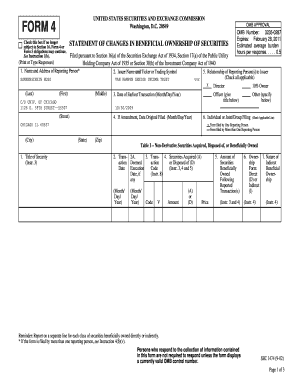
- Begin by filling out the section titled 'Name and Address of Reporting Person.' Here, you need to provide the full name along with the address details, ensuring that the information is accurate and clear.
- Next, in the 'Issuer Name and Ticker or Trading Symbol' section, enter the name of the issuer. Make sure to input the ticker symbol as well.
- In the 'Date of Earliest Transaction' field, specify the date for the earliest transaction by using the required month/day/year format.
- If this is an amendment, indicate the date the original form was filed.
- For the ‘Relationship of Reporting Person(s) to Issuer’ section, check all applicable boxes, such as Director or 10% Owner, to accurately represent your relationship.
- In the section labeled 'Individual or Joint/Group Filing,' select whether the form is being filed by one or more reporting persons.
- Proceed to Table I, where you will report Non-Derivative Securities. Fill in the required details, including the title of the security, transaction dates, amount acquired or disposed of, and the price.
- Continue to Table II for Derivative Securities. Input the relevant information, including conversion or exercise price, transaction dates, and details of any derivative securities.
- Finally, review all entered information for accuracy, then save changes, download, print, or share the completed form as needed.
Complete your documents online today!
The obvious top choice is to watch the first part before watching the sequel. Extraction 2 continues where the first part left off. Tyler Rake is alive and back in action on a new, more thrilling adventure.
Industry-leading security and compliance
US Legal Forms protects your data by complying with industry-specific security standards.
-
In businnes since 199725+ years providing professional legal documents.
-
Accredited businessGuarantees that a business meets BBB accreditation standards in the US and Canada.
-
Secured by BraintreeValidated Level 1 PCI DSS compliant payment gateway that accepts most major credit and debit card brands from across the globe.