Loading
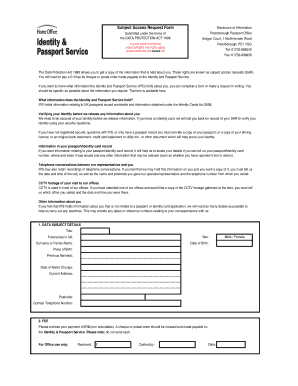
Get 1998 Year Was Fill The Form Of Ips Forms
How it works
-

Open form follow the instructions
-

Easily sign the form with your finger
-

Send filled & signed form or save
How to fill out the 1998 Year Was Fill The Form Of Ips Forms online
Filling out the 1998 Year Was Fill The Form Of Ips Forms online can be a clear and straightforward process. This guide will provide step-by-step instructions to help you complete the form efficiently and accurately.
Follow the steps to fill out the form correctly.
- Click the ‘Get Form’ button to obtain the form and open it in your browser or preferred editor.
- Begin by entering your personal details in Section 1. Provide your title, full forenames, surname, date of birth, and place of birth. If applicable, include any previous names and the date of your name change. Fill in your current address and postcode, along with your contact telephone number.
- Proceed to Section 2 for the fee. Remember to include a payment of £10, which is non-refundable. Make the payment via cheque or postal order, addressed to the Identity & Passport Service, and avoid sending cash.
- For passport-related inquiries, move to Section 3. Provide the relevant passport number, date of issue, and place of issue. Specify the information you require concerning your passport records.
- If you are requesting information about an identity card, fill out Section 4 with your identity card number, date of issue, and indicate what information you seek.
- Section 5 is for non-passport or identity card-related inquiries. Enter any reference numbers, dates of contact, reasons for contact, and the relevant office or department, along with the name of the respondent.
- Complete Section 6 if you want copies of correspondence with the IPS. Provide the IPS reference numbers, dates of correspondence, office details, and the name of the respondent involved.
- When requesting telephone call recordings, fill in Section 7 with the date and exact time of the call, your phone number during the call, your name, and postcode at the time.
- For CCTV recordings, complete Section 8. Indicate the office location of the camera and the date and time you visited.
- If you are requesting an interview recording, fill out Section 9 with the date and time of the interview and the office location.
- Sign the form in Section 10. If someone else is making the request on your behalf, leave this section blank.
- If applicable, fill Sections 11 and 12 to declare you are acting on someone's behalf or authorizing disclosure to a third party. Provide your relationship to the data subject and complete the signature and date fields.
- Once all sections are completed, review your responses for accuracy. Save any changes made, and you may have options to download, print, or share the completed form.
Complete your form online today to ensure you obtain the information you need.
Related links form
Section 1203 of the IRS Restructuring and Reform Act of 1998 (RRA '98), created a statutory provision requiring termination of IRS employment for misconduct.