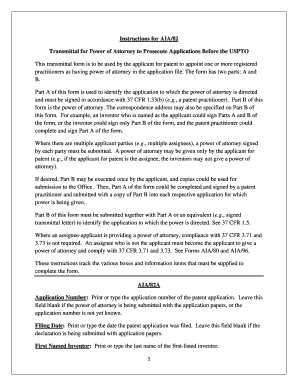
Get Uspto Aia82b Form
How it works
-

Open form follow the instructions
-

Easily sign the form with your finger
-

Send filled & signed form or save
How to fill out the Uspto Aia82b Form online
Filling out the Uspto Aia82b Form online is a crucial step for applicants seeking to appoint a registered practitioner to prosecute their patent applications. This guide will walk you through each section of the form, offering clear instructions to simplify the process.
Follow the steps to fill out the Uspto Aia82b Form online.
- Click ‘Get Form’ button to obtain the form and open it in the editor.
- In Part A, identify the application by entering the application number. Leave this blank if the application number is not known yet or if the power of attorney is submitted with the application papers.
- Enter the filing date of the patent application in the designated field, only if it is known. Leave it blank if submitting with the application papers.
- Provide the last name of the first named inventor on the patent application.
- Print or type the title of the invention as indicated on the first page of the patent application specification.
- If known, enter the patent examination unit of the application in the designated field.
- If available, print or type the name of the assigned patent examiner.
- Provide the attorney docket number used by the patent attorney or agent for identification purposes.
- In the signature section, the identified person must sign the transmittal form, either manually with dark ink or using an ‘S-signature’ for submission.
- Fill in the date of the signature, though it is not mandatory, it is recommended.
- Enter the full legal name of the signer, followed by their telephone number, which is also recommended but not required.
- For patent practitioners, include the registration number where prompted.
- If submitting multiple AIA/82A forms, check the corresponding box and indicate the total number being submitted.
- In Part B, choose the appropriate box to appoint power of attorney for either customer number or specific patent practitioners, providing names and registration numbers as needed.
- Select the correct option to designate the correspondence address, ensuring only one address is indicated.
- Clearly identify the applicant party who is giving power of attorney by selecting from the provided options.
- Repeat the signature process in the signature section of Part B, following the same guidance as in Part A.
- Complete the signature date, name, telephone number, title, and company name if signing on behalf of a juristic entity.
- Check the box for the number of AIA/82B forms being submitted, if more than one, and indicate the total.
- Finally, save your changes, download, print, or share the completed form as necessary.
Begin filling out your Uspto Aia82b Form online today to streamline your patent application process.
The provisional specification form is a document that outlines the details of your invention when filing a provisional patent application. This form allows you to describe your invention, its purpose, and how it works, helping to establish an early filing date. While the provisional specification does not require formal claims, it should provide a comprehensive overview. When using the Uspto Aia82b Form, you can ensure that all necessary details are included for a successful filing.