Loading
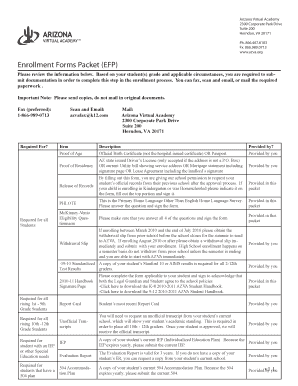
Get Melody Williamson Azva Form
How it works
-

Open form follow the instructions
-

Easily sign the form with your finger
-

Send filled & signed form or save
How to fill out the Melody Williamson Azva Form online
Filling out the Melody Williamson Azva Form online is a straightforward process that allows you to complete essential documentation for enrollment in the Arizona Virtual Academy. This guide provides you with step-by-step instructions to ensure that you accurately fill out each section of the form with ease.
Follow the steps to successfully complete the form.
- Click ‘Get Form’ button to obtain the form and open it in the online editor.
- Begin by filling in the student's full name in the designated fields. Make sure to include the first name, middle name, and last name as required.
- Provide the student's date of birth using the appropriate format. This is crucial for age verification purposes.
- Complete the address section, including street, city, county, state, and zip code. Ensure the address is current and accurate.
- Enter the home phone number in the specified field. This will be used for future communication.
- If applicable, indicate whether the student has always been homeschooled or is entering Kindergarten by checking the corresponding box.
- Fill in the information of the prior school attended, including the school's name, address, phone number, and fax number.
- Sign and date the form in the section designated for the parent or legal guardian. Your signature acknowledges the accuracy of the information provided.
- For the release of student records, ensure that you provide consent by completing the required sections for sending records from the prior school.
- After all required fields are completed, review the entire form for accuracy. Once confirmed, you can save changes, download, print, or share the form as needed.
Complete your enrollment documents online today for a seamless process.
Related links form
2:39 4:58 Multiple Table of Contents in Word/ TOC for Each Section - YouTube YouTube Start of suggested clip End of suggested clip Click on OK and you can see that it's put in a table of contents. For these three headings. Let'sMoreClick on OK and you can see that it's put in a table of contents. For these three headings. Let's just do the same thing down here.