Loading
Form preview
  • US Legal Forms
  • Form Library
  • More Forms
  • More Multi-State Forms
  • Peninsula Dome - Oztrail

Get Peninsula Dome - Oztrail

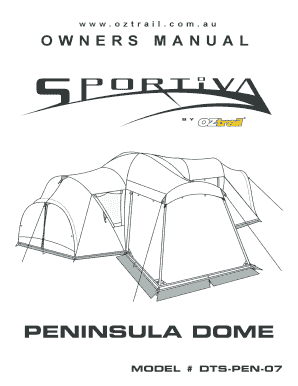
Ww w. o z t r a i l . c o m . a uOWNERS MANUALPENINSULA DOME MODEL # DTSPEN07IMPORTANT SAF E T Y A N D CARE INFORM AT I O N Keep all flame and heat sources away from the tent fabric. This tent complies.

How it works

  1. Open form

    Open form follow the instructions

  2. Easily sign form

    Easily sign the form with your finger

  3. Share form

    Send filled & signed form or save

How to fill out the Peninsula Dome - OZtrail online

Filling out the Peninsula Dome - OZtrail form online can streamline the process of ensuring you have all necessary details at your fingertips. This guide will walk you through each section and field of the form to make it user-friendly and comprehensive.

Follow the steps to complete your Peninsula Dome - OZtrail online form.

  1. Click the 'Get Form' button to access the Peninsula Dome - OZtrail form. This will allow you to obtain the form in an editable format.
  2. Begin by filling in your personal information, including your name, contact details, and address. Ensure that the information is accurate to facilitate communication regarding your tent.
  3. Next, provide detailed information about your tent, including the model number (DTS-PEN-07) and any specific features you may be interested in. Be attentive to each field to ensure correctness.
  4. Continue by confirming your purchase date and the place of purchase. This is crucial for warranty and support purposes. Keep your receipt handy as proof.
  5. If applicable, include any additional notes or comments regarding your tent experience or queries you may have. This information can assist with customer support.
  6. Review all entries carefully to avoid errors. Make any necessary corrections before proceeding, as this will save time in the long run.
  7. Once you are satisfied with the information provided, you have options to save changes for later, download the completed form, print it out, or share it if needed.

Complete your Peninsula Dome - OZtrail form online today for a seamless camping experience!

Get form

Experience a faster way to fill out and sign forms on the web. Access the most extensive library of templates available.
Get form

Related content

Owners Manual - Supercheap Auto
HELPFUL HINT. OZtrail advises to read your owner's manual fully and assemble your tent...
Learn more

Related links form

Concordia University InstitutionalReview Board Manual 2013 Condominium Concepts Management Key Release Form conEdison Law 282975 2007 Consent Form for Admission Avoidance Register Easy Read Format

Questions & Answers

Get answers to your most pressing questions about US Legal Forms API.

Contact support

The OZtrail Genesis 3p dome tent is a versatile camping solution designed for three people. This tent features a robust structure, ensuring stability and comfort during outdoor adventures. With its easy setup and ample ventilation, it serves as an excellent choice for campers seeking reliability in the Peninsula Dome - OZtrail category.

For beginners, setting up a dome tent like the Peninsula Dome - OZtrail can be manageable with clear instructions. Start by reading the manual to understand the components. Choose a flat spot, lay out the tent, and assemble the poles. Follow the instructions step-by-step, and remember to stake the tent securely to withstand winds.

Folding up an Oztrail pop-up tent is straightforward. Start by removing any stakes and ensuring the tent is clean and dry. Collapse the tent by pushing down on the center, twisting it to create a circular shape. Finally, secure it with the provided straps to make it easy to transport.

Setting up a 3 person tent follows similar steps to other dome tents, including the Peninsula Dome - OZtrail. Choose a flat area, lay out the tent, and connect the poles according to the instructions. Once the structure is upright, stake it down securely and add the rainfly to help keep the interior dry.

To set up a 3 person dome tent like the Peninsula Dome - OZtrail, begin by selecting a level campsite. Lay out the tent and assemble the poles. Insert the poles into the designated areas, lift the tent, and secure it with stakes. Finally, attach the rainfly for added weather protection.

To protect the floor of your tent, including the Peninsula Dome - OZtrail, consider using a ground tarp or footprint. This layer helps shield against moisture, debris, and sharp objects. Additionally, it can extend the life of your tent floor by providing an extra barrier.

Setting up a 4 person dome tent, such as the Peninsula Dome - OZtrail, starts with choosing a flat, dry location. First, lay out the tent body and assemble the poles according to the instructions. Next, insert the poles into the designated sleeves or clips, raise the tent, and secure it with stakes. Finally, ensure the rainfly is attached for added protection against the elements.

The Peninsula Dome - OZtrail is designed with waterproof materials that help protect you from rain and moisture. Its seams are sealed to enhance water resistance, ensuring you stay dry during your adventures. For optimal performance, always check the manufacturer's guidelines for maintenance and care to keep your tent in top shape.

Dome tents, including the Peninsula Dome - OZtrail, can experience condensation build-up, especially in humid environments. While their shape is beneficial for wind resistance, it may not provide as much headroom as other tent styles. Additionally, some models might require more maintenance over time to ensure their longevity.

Dome tents, such as the Peninsula Dome - OZtrail, provide excellent stability and wind resistance due to their shape. They often have a quick setup process, which is great for campers on the go. Furthermore, their design maximizes living space while minimizing weight, making them a popular choice among outdoor enthusiasts.

Get This Form Now!

Use professional pre-built templates to fill in and sign documents online faster. Get access to thousands of forms.
Get form
If you believe that this page should be taken down, please follow our DMCA take down processhere.

Industry-leading security and compliance

US Legal Forms protects your data by complying with industry-specific security standards.
  • In businnes since 1997
    25+ years providing professional legal documents.
  • Accredited business
    Guarantees that a business meets BBB accreditation standards in the US and Canada.
  • Secured by Braintree
    Validated Level 1 PCI DSS compliant payment gateway that accepts most major credit and debit card brands from across the globe.
Get Peninsula Dome - OZtrail
Get form
Form Packages
Adoption
Bankruptcy
Contractors
Divorce
Home Sales
Employment
Identity Theft
Incorporation
Landlord Tenant
Living Trust
Name Change
Personal Planning
Small Business
Wills & Estates
Packages A-Z
Form Categories
Affidavits
Bankruptcy
Bill of Sale
Corporate - LLC
Divorce
Employment
Identity Theft
Internet Technology
Landlord Tenant
Living Wills
Name Change
Power of Attorney
Real Estate
Small Estates
Wills
All Forms
Forms A-Z
Form Library
Customer Service
Your Privacy Choices
Terms of Service
Privacy Notice
Legal Hub
Content Takedown Policy
Bug Bounty Program
About Us
Help Portal
Legal Resources
Blog
Affiliates
Contact Us
Delete My Account
Site Map
Industries
Forms in Spanish
Localized Forms
State-specific Forms
Forms Kit
Legal Guides
Real Estate Handbook
All Guides
Prepared for You
Notarize
Incorporation services
Our Customers
For Consumers
For Small Business
For Attorneys
Our Sites
US Legal Forms
USLegal
FormsPass
pdfFiller
signNow
altaFlow
DocHub
Instapage
Social Media
Call us now toll free:
+1 833 426 79 33
As seen in:
  • USA Today logo picture
  • CBC News logo picture
  • LA Times logo picture
  • The Washington Post logo picture
  • AP logo picture
  • Forbes logo picture
© Copyright 1997-2026
airSlate Legal Forms, Inc.
3720 Flowood Dr, Flowood, Mississippi 39232
Form Packages
Adoption
Bankruptcy
Contractors
Divorce
Home Sales
Employment
Identity Theft
Incorporation
Landlord Tenant
Living Trust
Name Change
Personal Planning
Small Business
Wills & Estates
Packages A-Z
Form Categories
Affidavits
Bankruptcy
Bill of Sale
Corporate - LLC
Divorce
Employment
Identity Theft
Internet Technology
Landlord Tenant
Living Wills
Name Change
Power of Attorney
Real Estate
Small Estates
Wills
All Forms
Forms A-Z
Form Library
Customer Service
Your Privacy Choices
Terms of Service
Privacy Notice
Legal Hub
Content Takedown Policy
Bug Bounty Program
About Us
Help Portal
Legal Resources
Blog
Affiliates
Contact Us
Delete My Account
Site Map
Industries
Forms in Spanish
Localized Forms
State-specific Forms
Forms Kit
Legal Guides
Real Estate Handbook
All Guides
Prepared for You
Notarize
Incorporation services
Our Customers
For Consumers
For Small Business
For Attorneys
Our Sites
US Legal Forms
USLegal
FormsPass
pdfFiller
signNow
altaFlow
DocHub
Instapage
Social Media
Call us now toll free:
+1 833 426 79 33
As seen in:
  • USA Today logo picture
  • CBC News logo picture
  • LA Times logo picture
  • The Washington Post logo picture
  • AP logo picture
  • Forbes logo picture
© Copyright 1997-2026
airSlate Legal Forms, Inc.
3720 Flowood Dr, Flowood, Mississippi 39232