Loading
Get Form Fm 1052
How it works
-

Open form follow the instructions
-

Easily sign the form with your finger
-

Send filled & signed form or save
How to fill out the Form Fm 1052 online
Filling out Form Fm 1052 online is a straightforward process designed to assist users in submitting necessary documentation for family law judgments. This guide provides step-by-step instructions to ensure a smooth completion of the form, tailored to meet various user needs.
Follow the steps to successfully complete the form.
- Press the ‘Get Form’ button to access the form and open it in your digital editing tool.
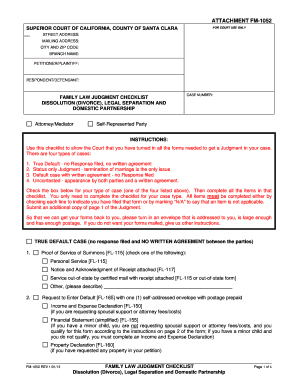
- Begin by filling out the top section of the form with your contact details, including your mailing address, city and zip code, and branch name. Identify the petitioner or plaintiff and the respondent or defendant clearly.
- Check one box for your case type from the provided options: True Default, Status Only Judgment, Default Case with Written Agreement, or Uncontested case. Ensure you understand the implications of each case type.
- Complete the corresponding checklist by checking each line to indicate the forms you have filed. For items not applicable to your case, mark them as 'N/A'.
- Provide additional documents as required based on your selected case type. This may include proof of service, income and expense declarations, and judgment forms, according to the detailed checklist.
- Finalize your documentation by ensuring all signatures are obtained and notarized where necessary. This is particularly important for self-represented parties.
- Once you have completed all sections of the form, save your changes. Depending on your preference, download the completed form, print it for submission, or share it as needed.
Start your journey by filling out your documents online today.
Filing a motion in New Jersey requires you to fill out the relevant motion forms, possibly including Form Fm 1052, and submit them to the court. You will also need to detail the reason for your motion and provide any supporting documents. It is advisable to check local court rules, as they can vary significantly, and consider using resources like US Legal Forms for assistance in this process.