Loading
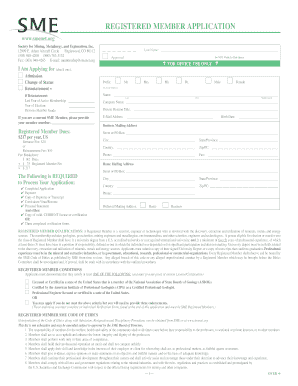
Get Endorsers Sme Membership Department Form
How it works
-

Open form follow the instructions
-

Easily sign the form with your finger
-

Send filled & signed form or save
How to fill out the Endorsers Sme Membership Department Form online
Filling out the Endorsers Sme Membership Department Form online can be a straightforward process with the right guidance. This guide provides a step-by-step approach to help users navigate each section and complete the application with confidence.
Follow the steps to successfully complete your application
- Click the ‘Get Form’ button to access the form and open it for editing.
- Begin by entering your last name in the designated space, ensuring it is printed clearly. This information is essential for identifying your application.
- Indicate your reason for applying by checking one of the options: Admission, Change of Status, or Reinstatement. If you are applying for reinstatement, provide the last year of active membership and the year of election.
- If you are currently a member, input your member number to help streamline the processing of your application.
- Fill out the required fields for your personal information, including your prefix, full name, company name, title, and email address.
- Provide both your business and home mailing addresses. Make sure to include all necessary details, such as street address, city, state or province, country, and postal code.
- Select your preferred mailing address by indicating whether you wish to receive correspondence at your home or business address.
- Acknowledge the qualifications for the Registered Member status by confirming your eligibility based on educational background and professional experience.
- Fill out your education and record of experience. Include all relevant degrees, the names of schools, and your employment history. Attach your Curriculum Vitae and transcripts as required.
- Craft your personal statement, providing a brief explanation (50-100 words) of your interest in pursuing Registered Member status.
- Enter your payment information. Specify the method of payment and provide the necessary details for processing, including your credit card number and expiration date if applicable.
- Review your application for accuracy before submitting. Make sure all required documents are attached and fees are calculated correctly.
- After completing the form, save the changes, download a copy for your records, and print or share it as necessary.
Complete your application online now to secure your membership status.
Related links form
SME stands for Small and Medium Enterprises, which encompass a broad range of businesses that are vital to the economy. This designation includes companies that typically have a specific number of employees and revenue thresholds. Understanding this terminology is crucial when engaging with resources and filling out the Endorsers Sme Membership Department Form, as it connects you with the appropriate community and services.
Industry-leading security and compliance
US Legal Forms protects your data by complying with industry-specific security standards.
-
In businnes since 199725+ years providing professional legal documents.
-
Accredited businessGuarantees that a business meets BBB accreditation standards in the US and Canada.
-
Secured by BraintreeValidated Level 1 PCI DSS compliant payment gateway that accepts most major credit and debit card brands from across the globe.