Loading

Open form follow the instructions

Easily sign the form with your finger

Send filled & signed form or save
How to fill out the CA 07A-100 L5 online
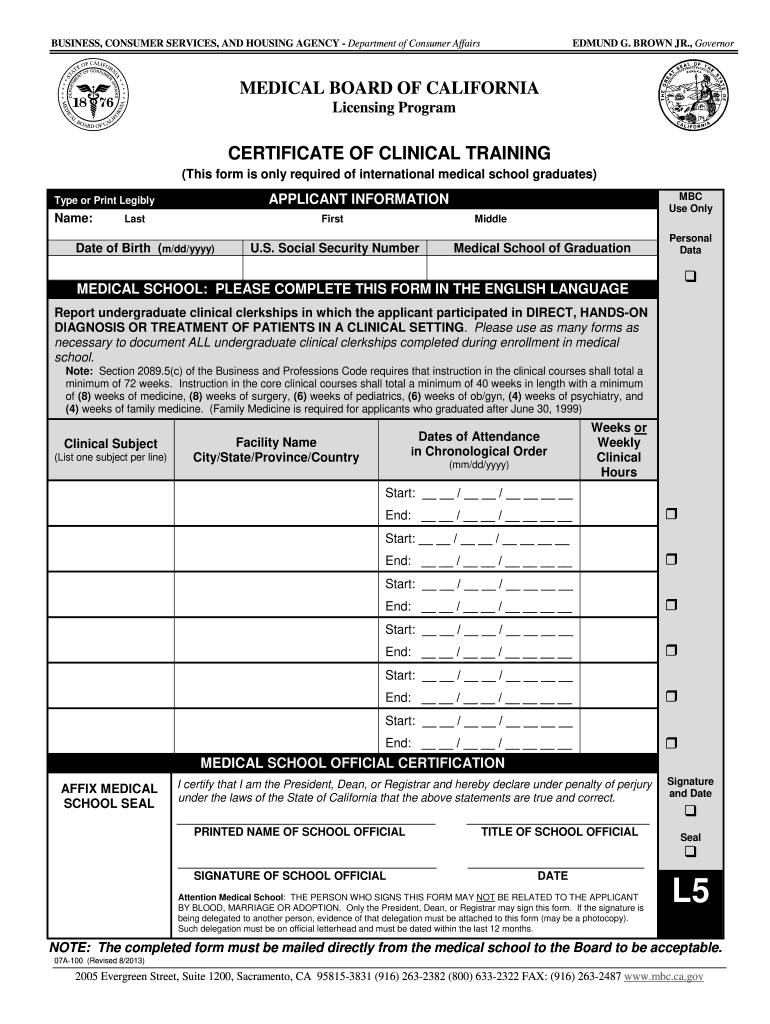
Filling out the CA 07A-100 L5 form is a crucial step for international medical school graduates seeking to certify their clinical training. This guide provides clear, step-by-step instructions to help users navigate the online process with ease.
Follow the steps to successfully complete the CA 07A-100 L5 form.
- Click the ‘Get Form’ button to obtain the form and open it in your preferred browser.
- Provide your personal information in the applicant information section. This includes entering your last name, first name, middle name, date of birth in the format (m/dd/yyyy), and U.S. Social Security number.
- Fill in the name of your medical school in the designated area.
- List each clinical subject you participated in during your medical training. Write one subject per line for clarity.
- For each clinical subject, provide the facility name, city, state, province, and country where you received training.
- Indicate the dates of attendance in chronological order, including the start and end dates in the format (mm/dd/yyyy). Make sure to detail all relevant clinical experiences.
- Input the number of weeks or weekly clinical hours as required based on the experiences you listed.
- After filling out the clinical training information, ensure that a medical school official certifies the form. This section requires their printed name, title, signature, and date.
- Ensure the form is signed by an official who is not related to you, and attach delegation evidence if needed.
- Once all sections are complete, save your changes, and prepare to download or print the form for mailing.
- Mail the completed form directly from your medical school to the specified address.
Complete your documentation process online and ensure your application is submitted correctly.
Experience a faster way to fill out and sign forms on the web. Access the most extensive library of templates available.
Related content
Nov 4, 2010 — 07A-100-L5 (Rev. 12/05). 60. Page 24. STATE OF CALIFORNIA •• STATE AND...
Mar 18, 2016 — Corresponding Security Controls: CA-5, CA-7. 6.7. Notice of Scheduled...
Instead, you can use any terminal emulation software that supports VT100 or ANSI emulation...
Use professional pre-built templates to fill in and sign documents online faster. Get access to thousands of forms.
If you believe that this page should be taken down, please follow our DMCA take down process here.
This form is available in several versions. Select the version you need from the drop-down list below.