Loading
Get In Gold Key Property Management Rental Application 2016-2026
How it works
-

Open form follow the instructions
-

Easily sign the form with your finger
-

Send filled & signed form or save
How to fill out the IN Gold Key Property Management Rental Application online
Filling out the IN Gold Key Property Management Rental Application online is a straightforward process that helps you provide essential information for your rental request. This guide will walk you through each section and field of the application to ensure you submit all necessary details correctly.
Follow the steps to complete your rental application with ease.
- Press the ‘Get Form’ button to access the rental application and open it for editing.
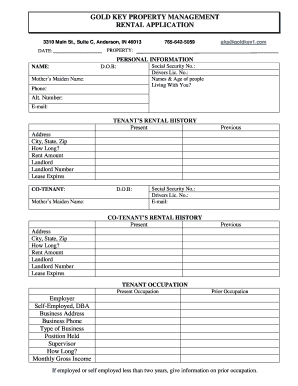
- Begin with the personal information section. Input your full name, social security number, driver's license number, date of birth, and contact information, including your primary phone number and email address.
- List the names and ages of any individuals who will be living with you in the designated field.
- Move to the tenant's rental history section. Provide your current and previous addresses, including city, state, zip code, duration of residence, rental amounts, landlord's information, and lease expiration dates.
- If applicable, fill out the co-tenant information as you did for yourself. Include their personal details and rental history.
- In the tenant occupation section, state your current and prior occupations. Include employer details, business address, position held, and monthly gross income.
- If there is a co-tenant, complete the same occupational details for them.
- Provide references in the designated area. List personal references along with their addresses, phone numbers, how long you have known them, and their occupations.
- Answer the additional questions regarding pets, bankruptcy filings, evictions, and rent payment history.
- Finally, declare the truthfulness of the information you provided by signing and dating where indicated. If you are approved, specify your desired move-in date.
- Review all entered information for accuracy. You can then save changes, download, print, or share your completed rental application.
Begin your application process online today to secure your next rental property!