Loading
Get Opwdd 147 Fillable
How it works
-

Open form follow the instructions
-

Easily sign the form with your finger
-

Send filled & signed form or save
How to fill out the Opwdd 147 Fillable online
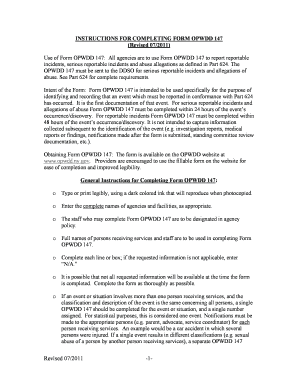
The Opwdd 147 Fillable form is a crucial document used to report incidents, serious incidents, and allegations of abuse within care settings. This guide will provide you with a step-by-step approach to accurately complete the form online, ensuring you meet all necessary reporting requirements.
Follow the steps to effectively fill out the Opwdd 147 Fillable form online.
- Click the ‘Get Form’ button to access the Opwdd 147 Fillable form. This will open the document in your online editor for completion.
- Begin with Item 1 by entering the name of the agency responsible for the report. Ensure accurate spelling and completeness.
- In Item 2, provide the facility name where the event occurred. Use 'N/A' if it is a non-certified site.
- For Item 3, specify the program type by selecting the appropriate classification from the list provided.
- Proceed to Item 4 and fill in the complete address of the identified facility or location.
- Complete Item 5 by entering the phone number of the facility in the designated field.
- Assign an incident/allegation reference number in Item 6. This number should help distinguish between incidents at different locations and for those involving multiple people receiving services.
- In Item 7, indicate if a previous Opwdd 147 was submitted for the same event.
- Enter the full name of the person receiving services in Item 8. Ensure to provide their last name followed by their first name.
- List the date of birth of this person in Item 9.
- Check the appropriate gender in Item 10 by marking 'M' for male or 'F' for female.
- In Item 11, enter the identifying number used for the person by your agency, avoiding social security numbers.
- Indicate medication usage in Item 12 by checking the relevant option.
- Complete Item 13 by filling out the date and time when the incident or alleged abuse was observed or discovered.
- If known, enter the date and time when the incident occurred in Item 14.
- Provide the number of persons receiving services present at the incident in Item 15.
- In Item 16, state the number of employees who were present at the time of the incident.
- Classify the incident in Item 17 by checking the most applicable classification.
- Describe the specific location of the incident in Item 18.
- Item 19 requires a detailed description of the incident or allegation. Ensure clarity and avoid speculation.
- In Item 20, list all immediate corrective actions taken to ensure safety.
- Check the relevant boxes in Item 21 regarding law enforcement notification.
- Refer to Item 22 for referrals made to the Statewide Central Register of Child Abuse and Maltreatment.
- Provide residential address and phone number in Item 23 if not initiated at the residence of the person receiving services.
- In Item 24, enter the name of the DDSO corresponding to the facility location.
- Specify the type of residence in Item 25.
- If the person is no longer at the original residential location, provide that information in Item 26.
- Complete Items 27 and 28 with the name, title, and signature of the parties completing and reviewing the form.
- List any notifications made in Item 29 according to the specific requirements outlined.
- Record additional steps taken for the individual's safety in Item 30.
- Complete Item 31 with the name and title of the party completing this section.
- Provide the name of the assigned investigator for the incident in Item 32.
- Finally, save your changes, download the completed form, print a copy for your records, or share it as needed.
Complete your Opwdd 147 Fillable form online today to ensure accurate reporting and compliance.
Industry-leading security and compliance
US Legal Forms protects your data by complying with industry-specific security standards.
-
In businnes since 199725+ years providing professional legal documents.
-
Accredited businessGuarantees that a business meets BBB accreditation standards in the US and Canada.
-
Secured by BraintreeValidated Level 1 PCI DSS compliant payment gateway that accepts most major credit and debit card brands from across the globe.